Window title privacy
Window title tracking records the titles of the windows you work in, and titles can contain personal information: email subjects, document names, private web addresses. WhatPulse 6.3 ships with a privacy layer that lets you control exactly what gets stored. All of it lives in Settings > Exclusions.
There are three layers, and you can combine them:
- Exclude specific applications from title tracking (their uptime still counts).
- Filter titles by content, so anything matching a pattern is hidden across every app.
- Incognito and private browser windows are always hidden, automatically.
Instead of the real title, a hidden title is stored as a placeholder: [Excluded] for excluded applications, [Filtered] for pattern matches, and [Private] for incognito windows.
Exclude applications from title tracking
Under Settings > Exclusions > Application exclusions, each excluded application is shown as a tag. There are two kinds of exclusions:
- All stats: the application is dropped from every statistic entirely.
- Window titles: the application's uptime and input keep counting as normal, but its window titles are stored as
[Excluded].
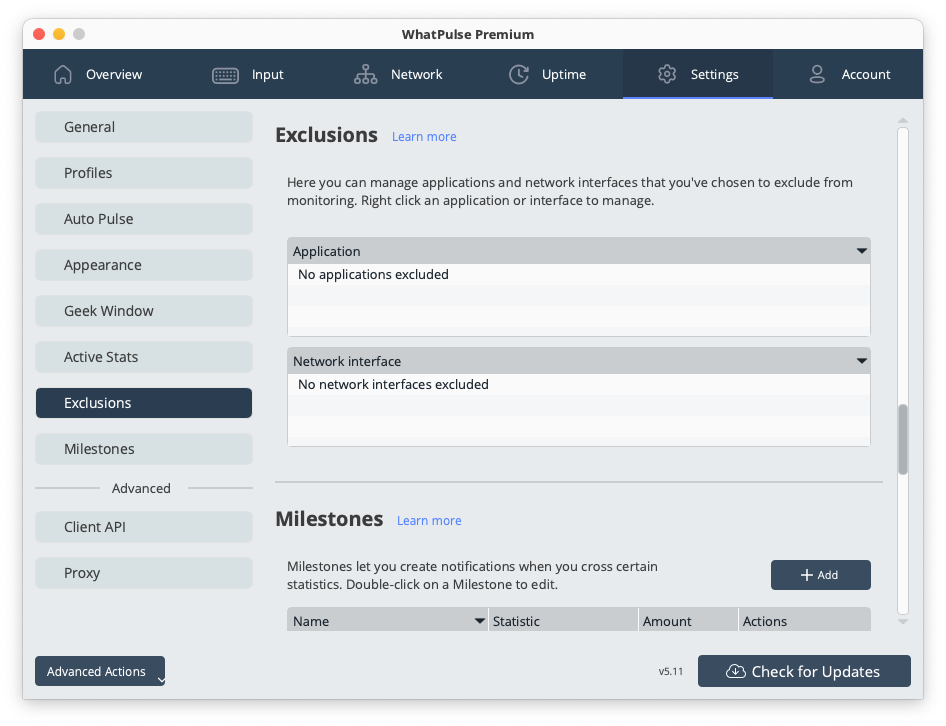
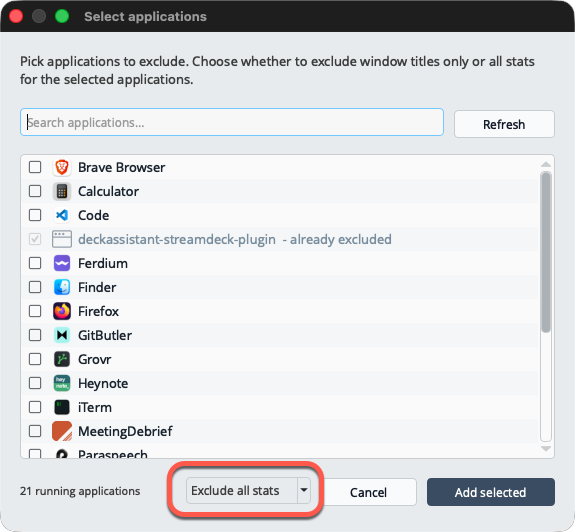
Click Add applications to open the app picker. It lists your currently running applications with their icons, has a search box, and lets you choose the exclusion type with Exclude titles only or Exclude all stats. Click a tag to remove an exclusion again.
Filter sensitive titles by content
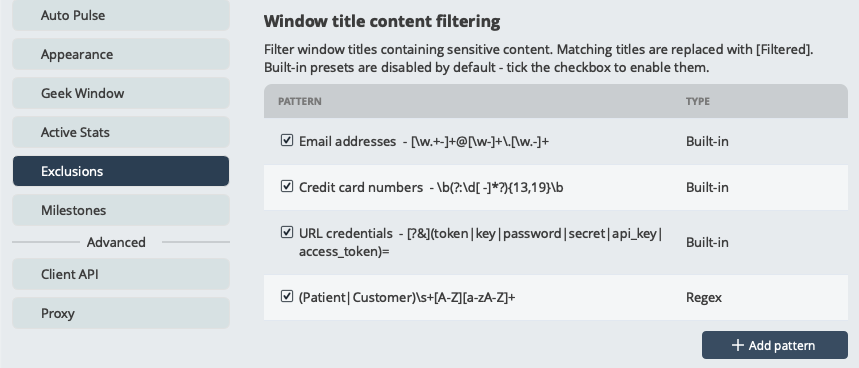
Under Settings > Exclusions > Window title content filtering, you can add patterns that hide matching titles in every application. Patterns are regular expressions, and any title that matches is stored as [Filtered].
Click Add and enter a regular expression. A simple word works too: entering confidential hides every title containing that word. Invalid expressions are rejected with an error, so you cannot save a broken pattern.
Built-in filters
Three ready-made filters are included. They are off by default; tick the checkbox to enable one:
- Email addresses: hides titles containing an email address.
- Credit card numbers: hides titles containing 13-19 digit card-like numbers.
- URL credentials: hides titles where a web address carries login details such as tokens, passwords, or API keys.
The built-in filters can be turned on and off, but not deleted. Your own patterns can be edited, toggled, and removed at any time.
Incognito and private windows
Titles from incognito and private browsing windows (Chrome Incognito, Edge InPrivate, Firefox and Safari Private Browsing, and localized variants) are always stored as [Private]. This is built in and always on; there is nothing to configure.
Turning title tracking off entirely
If you would rather not record window titles at all, turn off Per Window Title under Settings > Active Stats in the Uptime column. Application and computer uptime keep working as before.