Excluding Websites from Web Insights
The Web Insights feature allows you to track your web activity in WhatPulse, but you may want to exclude certain websites from being tracked. This can be useful for privacy reasons or to avoid skewing your statistics with certain sites.
You can exclude websites directly from the Web Insights tables by right-clicking on a website and selecting the option to exclude it. This will prevent that website from being tracked in the future.
You can also add domain exclusion patterns from the settings. This allows you to exclude entire domains or subdomains using wildcards. For example, you can exclude all Facebook-related sites by adding .facebook.com as an exclusion pattern, or exclude all development-related sites by adding dev.*.
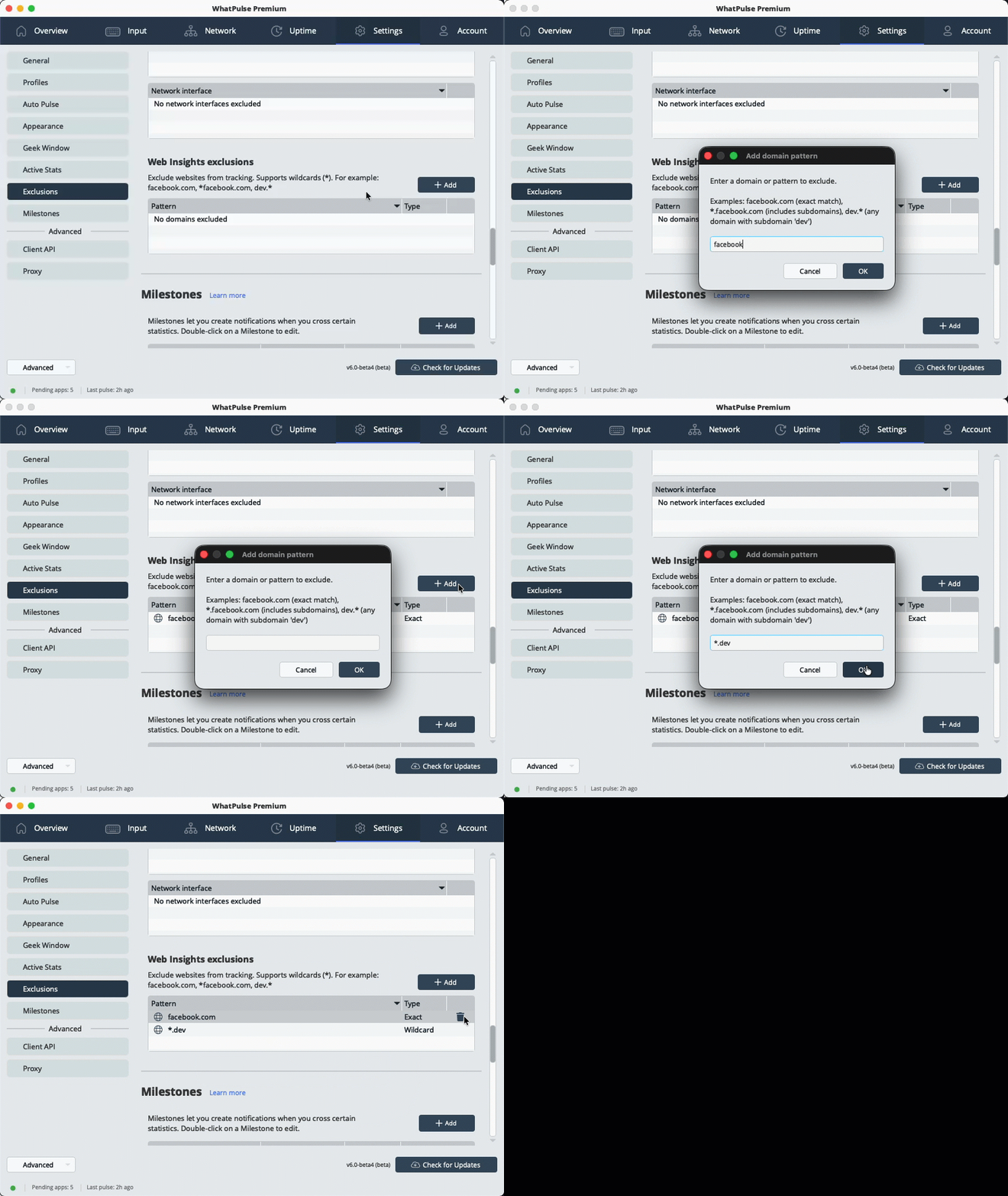
- Open the Settings tab in the WhatPulse app.
- Navigate to the Exclusions section.
- Under Web Insights exclusions, click Add domain to add a new exclusion pattern.
- In the popup, enter the domain or pattern you want to exclude (e.g.,
facebook.com,*.facebook.com, ordev.*). - Click "OK" to add the exclusion. If the pattern is very broad, WhatPulse warns you before adding it.
That's it! The specified websites will now be excluded from Web Insights tracking.
Removing a website from the exclusion list
If you want to remove a website from the exclusion list, simply click on the trash icon next to the exclusion pattern in the settings, that appears when you hover over the pattern. This will allow that website to be tracked again in Web Insights.