Leave or rejoin WhatPulse Leagues
League participation is automatic, but you can leave at any time. Leaving is separate from turning off League emails or excluding yourself from the global rankings.
Leave Leagues
- Sign in and open the Leaderboards page.
- Select the Leagues tab.
- Scroll to the bottom of the League section.
- Select Leave the leagues.
- Review the confirmation and select Leave leagues.
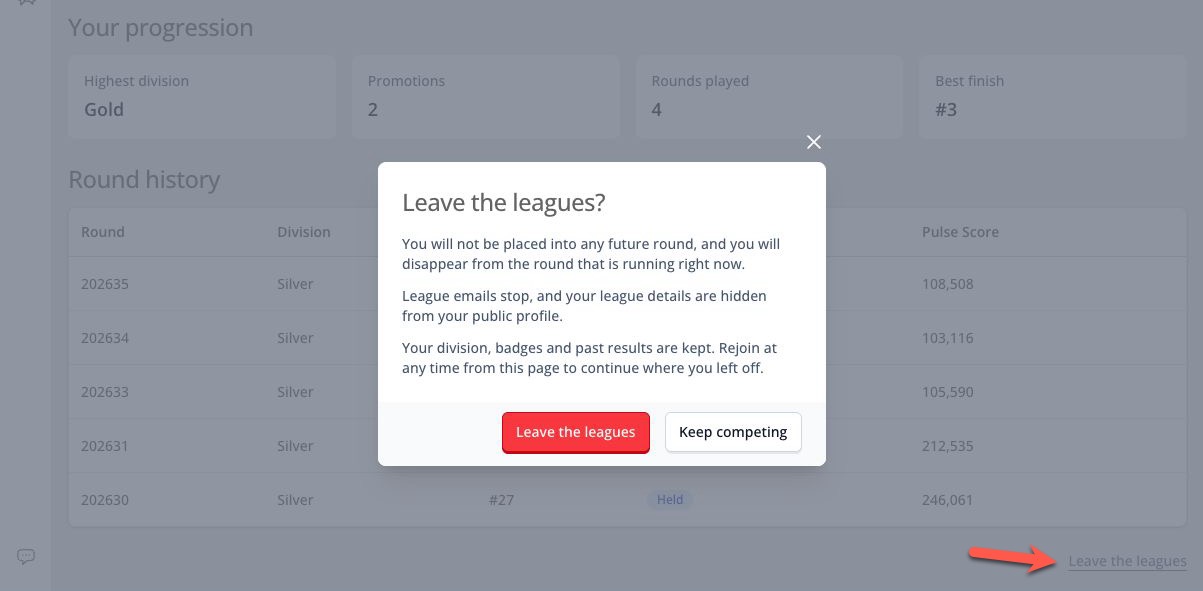
Leaving takes effect immediately. WhatPulse will:
- Remove you from the round that is currently open, including during the final sprint.
- Stop placing you in future rounds.
- Stop all League email.
- Hide the League card on Dashboard Overview.
- Hide League details from your public profile.
- Disable your public League standing and result pages.
Your earned progress is not deleted. WhatPulse keeps your division, badges, completed round results, promotion history, and other progression statistics.
Rejoin Leagues
After leaving, the Leagues tab remains available on the Leaderboards page and shows your saved division.
To return:
- Open Leaderboards.
- Select Leagues.
- Select Rejoin leagues.
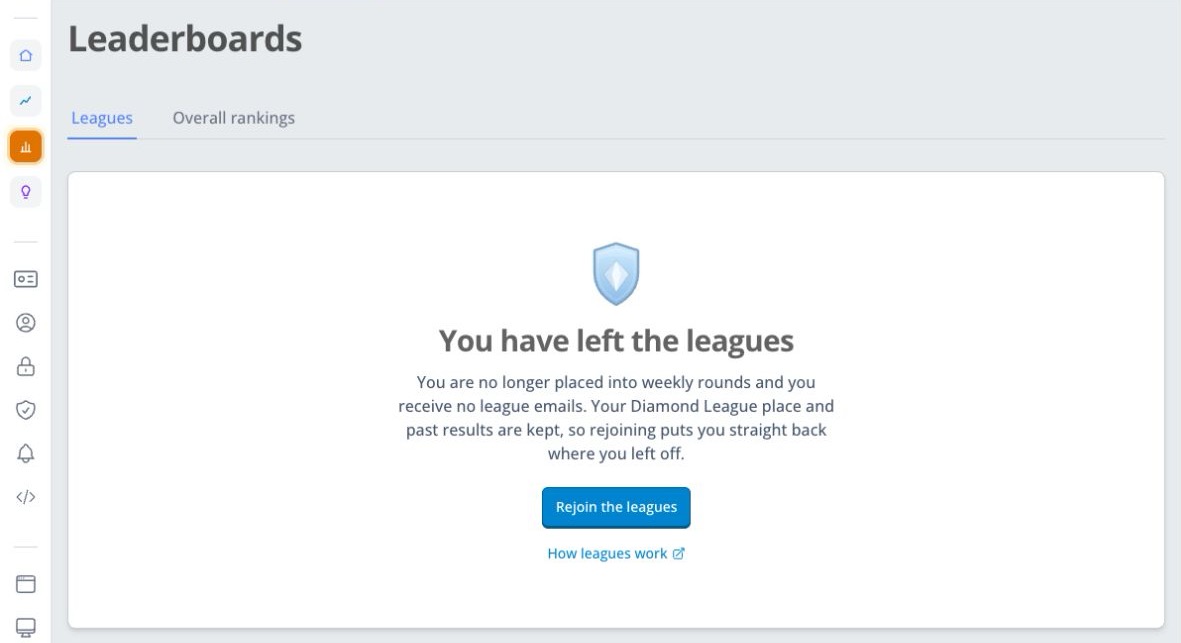
Rejoining does not insert you into a round that is already running. Your saved division is used for the next round for which you are eligible and had activity during the previous week.
Turn off emails without leaving
If you want to keep competing but receive fewer messages, change your League notification settings instead. Your rank, division, dashboard card, and public League details remain active when only email is disabled.