Follow your league ranking
The WhatPulse Dashboard gives you a quick view of your league on the Overview page and the full picture on the Leaderboards page.
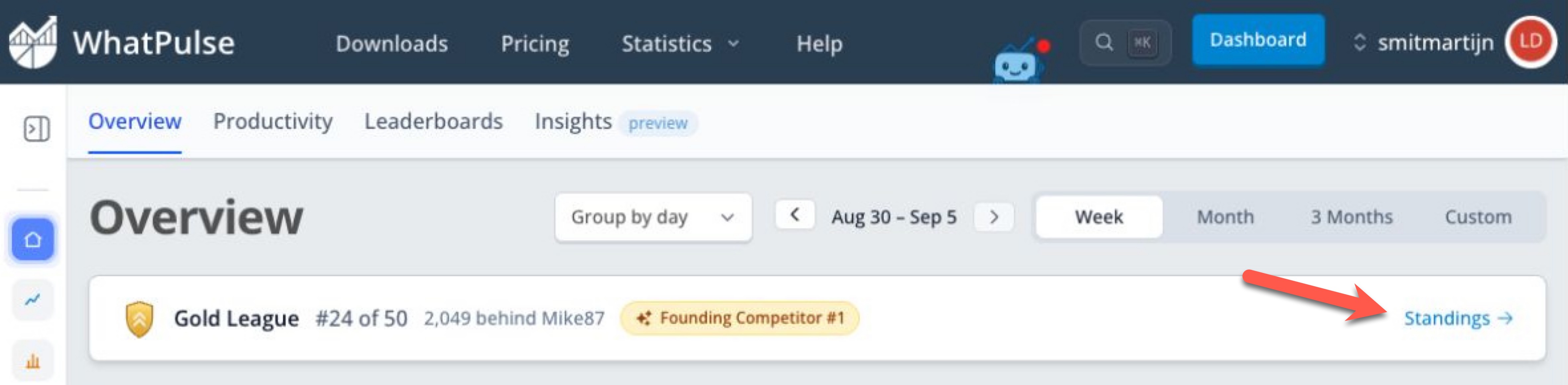
Check the Overview card
The compact League card on Dashboard Overview shows your current division, rank, group size, and the most important status for the week. Depending on your position, it may tell you that you lead the group, are in a movement zone, or are chasing another competitor.
During the final sprint, the card changes to show that exact rival scores are hidden. Select Standings to open the full league view.
Use the Leagues tab
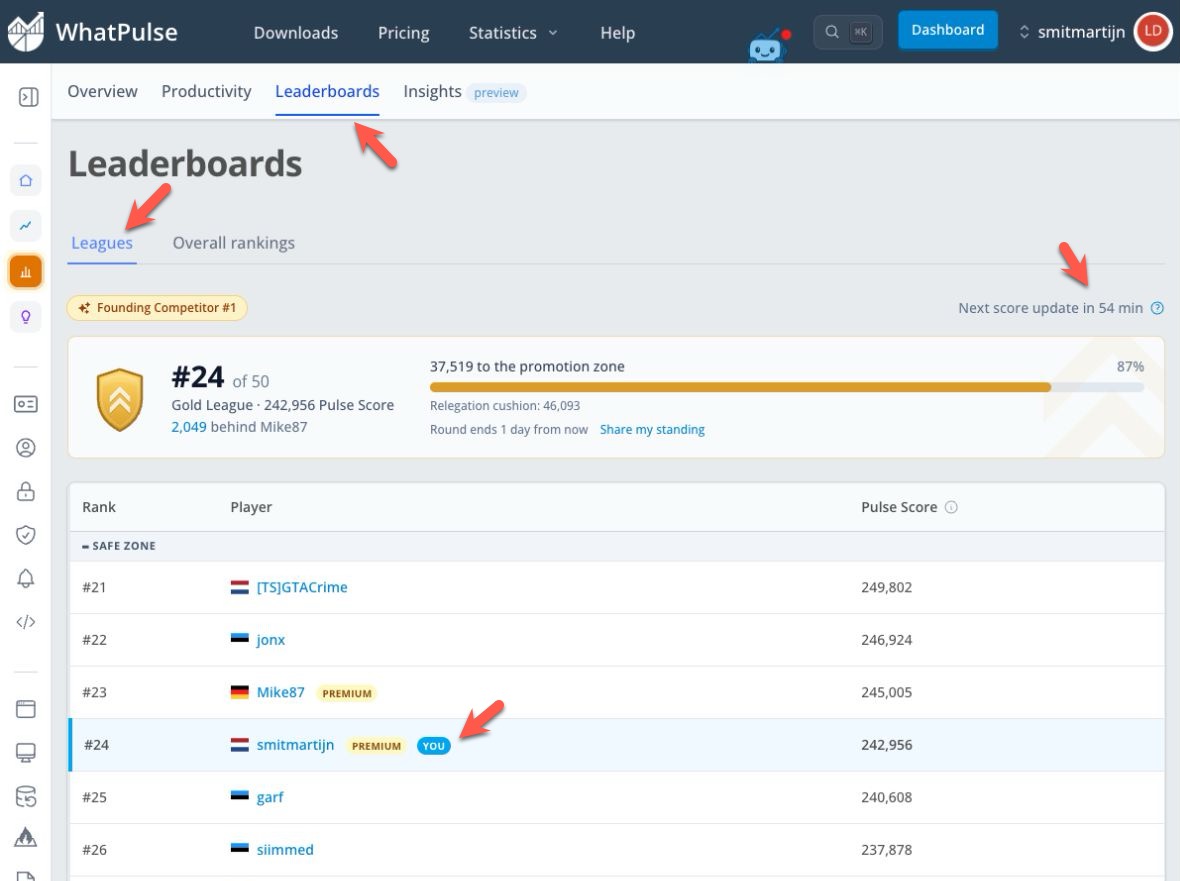
Open the Leaderboards page and select Leagues. The page opens around your own position and includes:
- Your division crest, current rank, group size, and Pulse Score.
- Your progress toward the promotion line.
- Your cushion above the relegation line, when applicable.
- The round's end time or final-sprint countdown.
- Your group leaderboard, divided into movement zones.
- A countdown to the next hourly score update.
Your row is marked You. The leaderboard shows 10 competitors at a time and initially opens on the page containing your rank. If you browse to another page, select Jump to my rank to return.
Review your progression and history
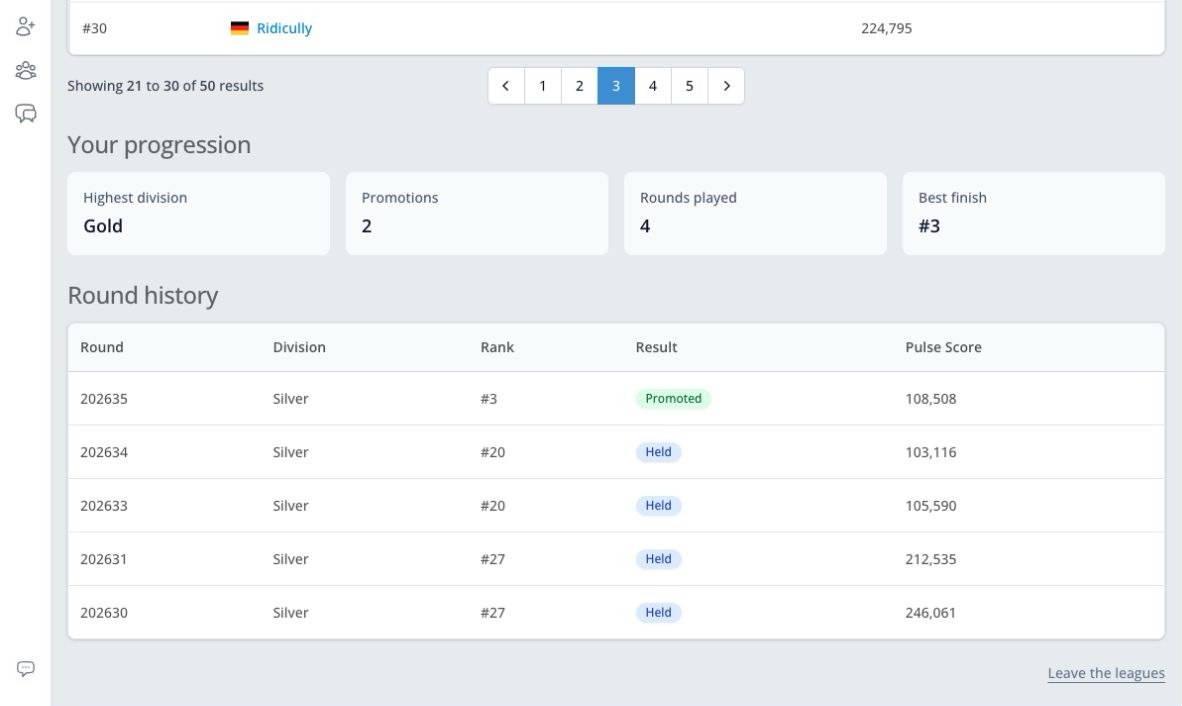
Below the current standings, Your progression shows:
- Highest division
- Total promotions
- Rounds played
- Best finish
The Round history table shows your five most recent completed rounds, including the division, final rank, result, and Pulse Score for each week.
After a round finishes, the dashboard may first show a one-time result panel for your promotion, hold, relegation, or Legend win. Dismissing it on either Dashboard Overview or Leaderboards dismisses the same result in both places.
Share your standing or result
Select Share my standing to open your current league card. You can use your device's share menu, post to a supported social platform, copy the link, or download the image.
Completed rounds also have a Share result option. During the final sprint, publicly shared league information follows the same score-hiding rules as the standings.
Your league card and public league profile are only available while your profile is public and you have not left Leagues.