Streak freezes, report duplicate apps, a Pulsar game and more

Martijn Smit Head Geek
5 min read
The WhatPulse 7.0 app got most of the attention last month, but the website has been busy too. There's a new way to help clean up the application and website lists, a safety net for your pulse streak, more to explore in the Leagues, and a small game starring Pulsar. WhatPulse 7.0.1 is also out today. Here's a rundown of everything.
WhatPulse 7.0.1 is out
WhatPulse 7.0.1 moves all communication with the website to a new, more reliable connection, so a slow upload can no longer hold up a pulse, and failed uploads are sent again later.
Pulsar has sharper desktop artwork, and the Geek Window now appears on all virtual desktops on Windows and can be dragged on Wayland. This update also fixes the most common crash on Windows 10 and older, along with a list of issues in pulsing, input counting and network monitoring.
Check out all 7.0.1 details here, and you can use Check for updates to update.
Filter your dashboard by computer and profile
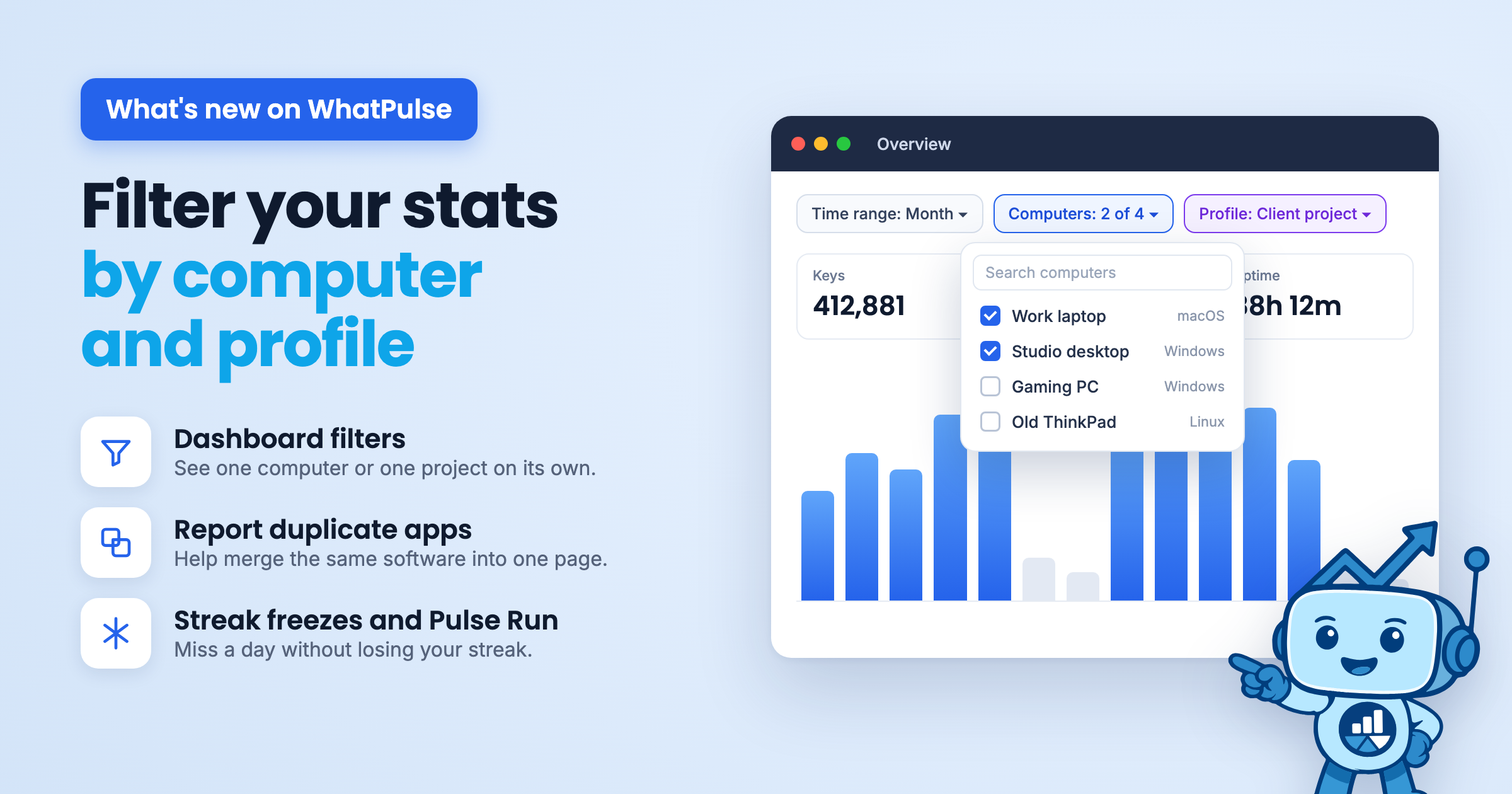
This is one of the most requested dashboard changes, and it's finally here. Until now the Overview always showed everything combined: every computer, every profile, all in one total. That's fine for bragging rights. It's much less useful when you want to know how much of your week went to your work laptop, or how many hours you spent on one client.
The Overview now has a filter bar at the top, with two new filters next to the time range.

Computers
Choose which of your computers count. Look at just your work machine to see your work week on its own, or drop the gaming PC to see how much typing you do outside of games. Pick one computer, a few, or all of them. You can also search the list, which helps if you've collected a few over the years.
Profiles
If you use Profiles to track time per project, client or type of work, you can now filter the Overview by them. Select a single profile to see exactly how much you typed, clicked and worked on that project, or combine a few profiles to see a whole category of work together. It turns Profiles from something you set up in the app into actual time tracking you can look back on.
Your streak can now survive a missed day
Pulse streaks were a bit unforgiving: one day without a pulse and you were back to zero. That's fixed now. Once every 7 days, a single missed day is forgiven automatically. The frozen day doesn't add to your streak, but it doesn't break it either.
There's nothing to turn on. It already works for everyone.

More to explore in the Leagues
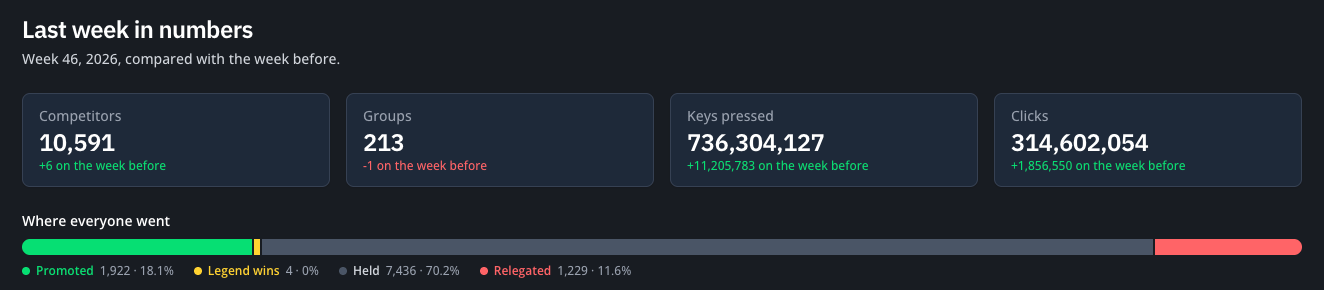
- League statistics. A new public page at https://whatpulse.org/stats/leagues shows how many people are competing this week, how the groups spread across the divisions, what it took to win Legend or get promoted last week, and how that compares with the week before. Each group is a tile, so you can see exactly where yours sits.
- Browse your past rounds. The round timeline on your Leagues dashboard now opens the final standings of any round you've played, right in place.
- Open result. The banner for your last round now has a direct link to your result page, so you don't have to dig the link out of the share window.
Help us clean up the application list
Some applications show up on WhatPulse more than once. The same software can be recorded under a different executable name, vendor spelling or version. Your stats for it end up split across two pages, and neither one tells the full story. This happened because of the way application uploads were handled, which has been improved over time between the app releases.
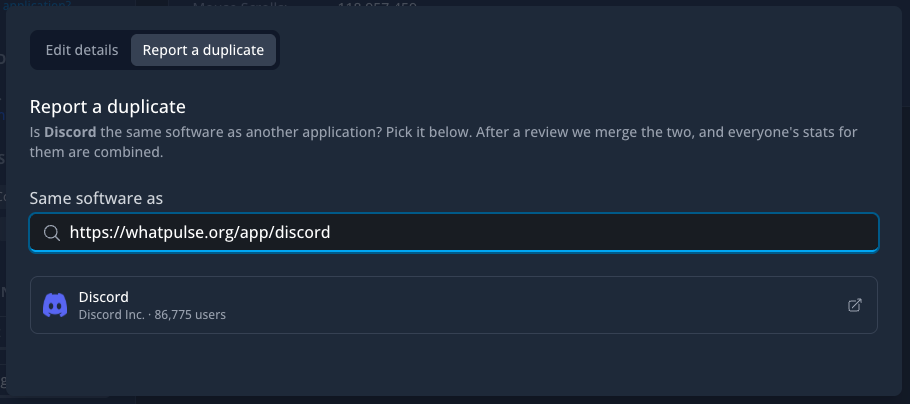
We've been detecting these duplicates, but you can now also report these duplicated and get them merged. Open an application's page, click Improve and choose Same as another application?. Search by name, paste a link to the other application on WhatPulse, or enter its ID. Applications you use are listed first. After a review we merge the two, and everyone's stats for them are combined.
If our duplicate scan or other members have already paired an application with something else, you'll see it under Already suggested. One click on Same software or Different helps us decide faster.
Suggest improvements to website profiles
Website profiles get the same treatment. If a site's name, company, category, tags or description is wrong or missing, click Improve website profile on its page and fill in what you know. You can also tell us whether it's a productive website. We review every suggestion, and you'll get an email when yours is accepted.
Pulsar got a game
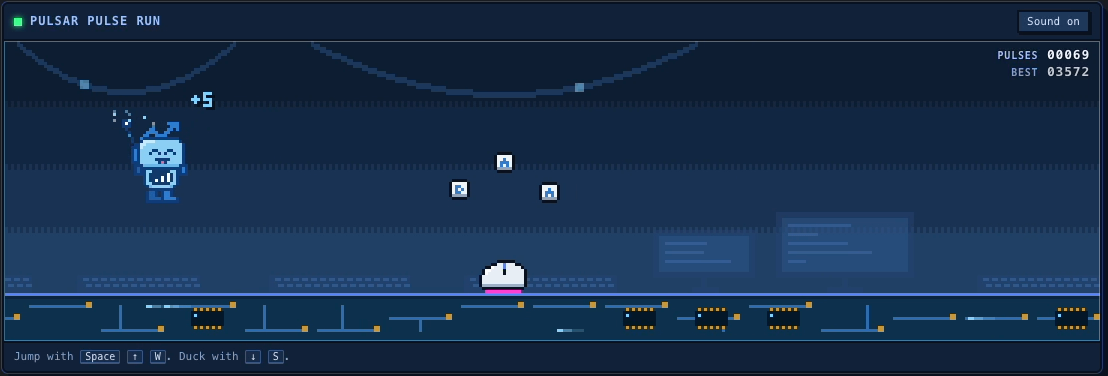
Pulsar now has a new look across the website, and something to do on a slow afternoon. Pulse Run is a small pixel-art game: help Pulsar run through a computer world, jump over hardware, duck under pop-ups and collect keystrokes along the way.
It's hidden in the footer of every page (we'll let you find the way in), or you can play it straight away at https://whatpulse.org/pulsar. Log in and your best run goes on the leaderboard.
Better two-factor authentication
Backup codes. When you set up two-factor authentication you now get 10 one-time backup codes. Keep them somewhere safe; they get you in if you lose your phone. You can generate new ones at any time on your Security page.

Learn touch typing with TypeTest
Want to get better at typing without looking at your keyboard? We've launched a new touch typing course on TypeTest! It takes you from the basics of finger placement all the way to advanced typing techniques, with lessons and exercises to help you build speed and accuracy. You'll earn badges as you progress and even get a certificate when you complete the course. Whether you're just starting out or want to improve your typing habits, give it a try. 😊
That's it! And as always, if you run into anything odd or have an idea, the feedback button in the app and the support page are the fastest way to reach us.