Uptime
How long a machine has been continuously powered on and operational, from a single laptop to a global server fleet.

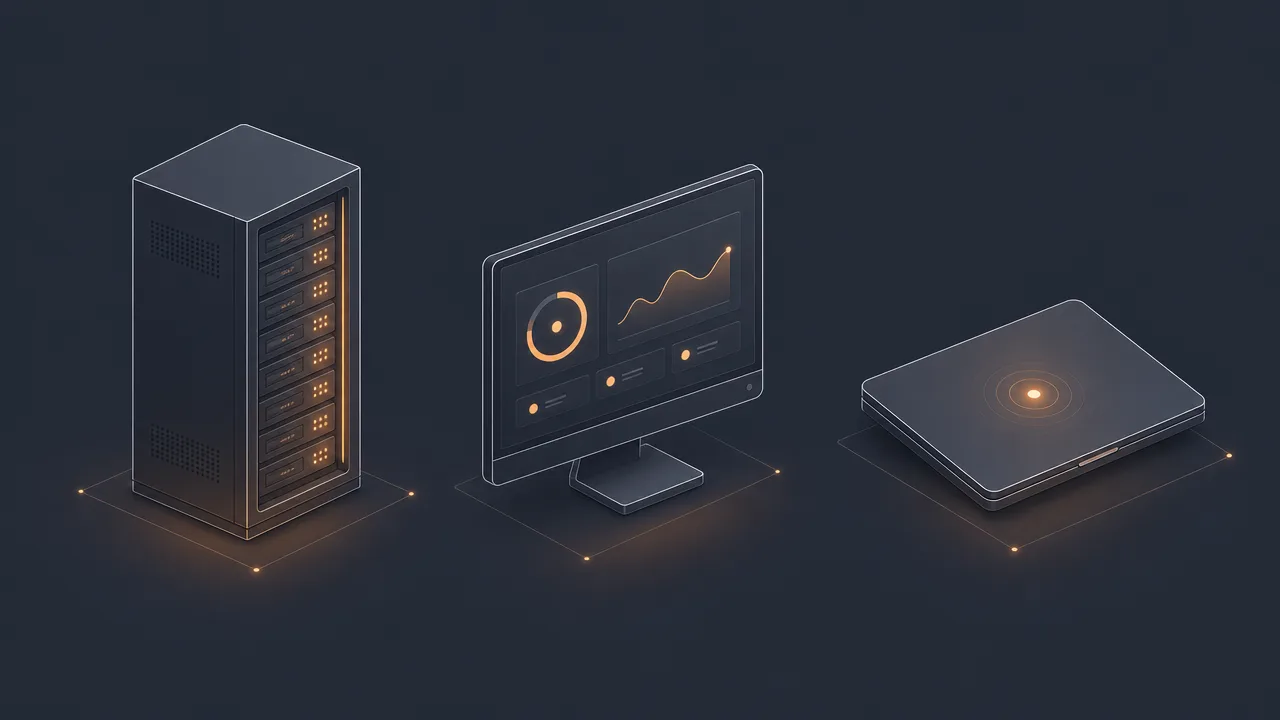
Uptime is one of the oldest and most overloaded words in computing. To a system administrator it means availability, measured to four or five decimal places and tied to contractual obligations. To someone glancing at the corner of their laptop screen it means a small badge of honour: the number of days the machine has stayed on since the last reboot. Both meanings describe the same underlying thing, the continuous running time of a computer system, but they are used for very different purposes.
This page covers uptime in both senses. It explains what the metric actually measures, how the server-room version produces phrases like "five nines", how the personal version relates to active time and idle time on a single machine, and which misconceptions cause the most trouble when people switch between the two contexts.
What is uptime?
Uptime is the duration during which a computer system has been continuously powered on and operational since its last boot. It is the opposite of downtime, and the simplest reliability measurement a system can produce. If the machine is running, uptime is accumulating. If the machine is off, crashed, or rebooting, it is not.
In the system administration tradition that grew out of mainframe operations and early Unix, uptime is treated as a proxy for stability. A server that stays up for months without a reboot is, all else equal, better engineered than one that needs constant attention. The Unix uptime command, which originated in 3.0BSD around 1980, surfaces this information in a single line along with the current time, the number of logged-in users, and the system load averages. It has been a standard tool on essentially every Unix-like system since.
In personal computing, uptime carries the same definition but a different cultural weight. Most desktop operating systems expose it in Task Manager, the Activity Monitor, or a shell command. People sometimes quote it as a badge of stability, sometimes as evidence that they have not rebooted in too long. WhatPulse and similar trackers record it alongside active time so users can see how much of their powered-on time they actually spent at the keyboard.
Why does uptime matter?
For servers, uptime is money. Online services live and die by their availability, and downtime translates directly into lost transactions, broken integrations, and damaged reputations. Cloud providers, hosting companies, and SaaS vendors publish uptime numbers prominently because customers compare them when choosing a vendor. Service level agreements, often abbreviated SLA, codify those numbers into legally meaningful commitments, with credits or refunds owed when targets are missed.
For infrastructure teams, uptime is also a diagnostic signal. Frequent reboots, surprise restarts, and unexpectedly low uptime numbers point to instability that needs investigation, whether the cause is a hardware fault, a memory leak, or an over-aggressive auto-update policy. The metric is coarse but reliable, which is exactly what makes it a useful starting point.
For individuals, uptime matters in a quieter way. It is the denominator against which active time, idle time, and session length are measured. Knowing that a laptop has been on for ten hours puts a four-hour active time in context: more than half the day was spent powered on but not in use. That is rarely a reason for alarm on its own, but it is a useful baseline for honest reflection on how a workday actually unfolded.

How is uptime measured?
The underlying mechanism is simple. The operating system kernel records the moment it finished booting, and any process can ask the kernel how long ago that was. The Unix command uptime, the Windows Task Manager performance tab, and the PowerShell expression (get-date) - (gcim Win32_OperatingSystem).LastBootUpTime all read from the same family of system counters. On most platforms the value resets only on a full cold boot or a kernel panic; sleep and hibernation pause the counter rather than reset it.
For a single machine, that local value is the entire measurement. For a server estate, the picture is more involved. Uptime is aggregated across multiple machines, often weighted by traffic or business importance, and reported against a calendar window. The result is usually expressed as a percentage of that window: 99.9% over thirty days, 99.99% over a year, and so on. Each additional nine is roughly ten times harder to achieve than the previous one, because the failure modes that need to be eliminated grow both rarer and more exotic.
A subtlety worth knowing: uptime and availability are related but not identical. A server can be up, meaning the operating system is running, while being unavailable, meaning users cannot actually reach it due to a network fault, a misconfigured proxy, or a failing dependency. Mature monitoring distinguishes between the two, typically by combining a local heartbeat with an external probe.
On Windows specifically, Fast Startup confuses the picture. When enabled, a shutdown is closer to a hibernation than a true power-off, so the uptime counter often does not reset on a normal shut down and power on. A full restart from the Start menu does reset it. This is the most common reason people see uptime values that look implausibly long.
Common benchmarks
The vocabulary of server uptime is dominated by a handful of round numbers, each tied to a specific downtime budget. They are sometimes called the "nines" tiers.
- 99.9% (three nines): roughly 8 hours 46 minutes of downtime per year. The baseline target for ordinary web services and many SaaS products.
- 99.99% (four nines): roughly 52 minutes of downtime per year. Common for paid business tiers, cloud infrastructure, and APIs with serious customers behind them.
- 99.999% (five nines): roughly 5.26 minutes of downtime per year. The legendary telecom-grade target, also expected in financial trading, healthcare, and emergency systems.
- 99.9999% (six nines): roughly 31 seconds per year. Rare in practice, and almost always achieved by redundant systems rather than a single component.
The Uptime Institute, an independent organisation that has certified data centre designs for more than thirty years, publishes a complementary classification for physical facilities. Tier I designs are basic and target around 99.671% annual availability. Tier II adds redundant components and targets around 99.741%. Tier III introduces concurrently maintainable infrastructure at around 99.982%. Tier IV is fully fault tolerant, with 2N redundancy, and targets around 99.995%. These targets refer to the facility, not the workload running inside it; the software still has to do its part.
Historically, the five-nines target traces back to mainframe-era telecom switching equipment, where the number was used to describe carrier-grade reliability. It has since become a marketing shorthand more than a strict engineering specification, which is worth remembering when reading vendor claims.
Examples
A few concrete scenarios show how uptime behaves in practice across contexts.
A regional payment processor commits to 99.99% availability in its enterprise SLA. Over a year that leaves roughly 52 minutes of allowable downtime. A single botched deployment that takes the API offline for ten minutes spends a fifth of the annual budget in one afternoon. The operations team treats every minute of unplanned downtime as a real, accounted cost, because under the contract it is.
A freelance designer notices their MacBook reporting an uptime of 27 days. The machine still feels fast, but several creative applications have grown sluggish and a pending operating system update has been deferred three times. Restarting clears the caches, lets the update apply, and resets the uptime counter. For a personal device, this kind of voluntary downtime is healthy maintenance, not a failure.
A remote worker checks their WhatPulse dashboard at the end of a Wednesday. The computer has 11 hours of uptime and 4 hours 20 minutes of active time. The gap is not wasted; it covers meetings on a separate device, a long lunch, and a stretch of reading away from the screen. The uptime number anchors the reflection: the machine was available, the person was sometimes elsewhere.

Misconceptions
The most common misconception is that uptime measures usefulness. It does not. A server can be up for months while quietly serving stale data, returning errors to a subset of users, or running an obsolete version of the application. Uptime confirms the operating system is alive, nothing more.
A second misconception is that more nines are always better. They are not always worth the cost. Moving from 99.9% to 99.99% can require redundant infrastructure, automated failover, and a substantially larger on-call team. Moving from 99.99% to 99.999% usually requires multi-region replication and a level of operational discipline that only matters when each minute of downtime carries serious consequences. For most teams, two extra nines deliver diminishing returns.
A third misconception, common on personal machines, is that high uptime equals good health. Long uptime can mask skipped updates, memory leaks, accumulated swap pressure, and other state that a reboot would clear. The Linux kernel community is famously proud of multi-year server uptimes, but those numbers come with disciplined patching practices that ordinary desktop users rarely match.
Finally, uptime is not the same as active time. Treating them as interchangeable produces nonsense conclusions in both directions: declaring a workday productive because the machine was on for ten hours, or declaring a server underused because users were not touching its keyboard.
Related concepts
Uptime sits at the centre of a small constellation of related terms. Several of them appear elsewhere in this encyclopedia.
- Downtime: the complement of uptime, when the system is not running or not reachable.
- Availability: the broader measure of whether a system is actually serving users.
- Active time: the subset of personal uptime during which input was being provided.
- Idle time: powered-on time without input, the gap between uptime and active time.
- Session length: the duration of a continuous active stretch within an uptime window.
- Mean time between failures (MTBF): the expected interval between unplanned outages.
- Mean time to recovery (MTTR): how quickly service returns after an incident.
- Service level agreement (SLA): the contractual uptime commitment between vendor and customer.
- Reboot: the event that resets the uptime counter to zero on a single machine.
Tracking uptime
For servers, uptime tracking is the foundation of monitoring. External probes ping public endpoints from multiple geographic regions, internal probes check process health and database connectivity, and an aggregation layer reconciles those signals into a single availability figure that can be compared against an SLA target. The result is usually published on a status page and reviewed in post-incident analysis.
For personal machines, uptime tracking is a much smaller affair. Operating systems expose the number on demand, and tools like WhatPulse record it alongside active time, application usage, network usage, and input intensity. That combination is the useful one. A personal uptime number in isolation is mostly a curiosity. Paired with active time and idle time, it becomes a context for understanding what a workday actually looked like.
The interesting comparison is rarely between users. It is between this week and last week on the same machine, between days when focus held and days when it scattered, and between long uptime stretches that reflect a steady working rhythm and ones that simply reflect a forgotten power button.
Frequently asked questions
What is the difference between uptime and active time?
Uptime measures how long the machine has been powered on. Active time measures the subset of that duration where a person was actually providing keyboard or mouse input. A computer can have eight hours of uptime and only three hours of active time on the same day.
What does "five nines" mean?
Five nines is shorthand for 99.999% availability, which corresponds to roughly 5.26 minutes of downtime per year. It is considered the reliability gold standard for telecom, financial, and life-critical systems, and is significantly more expensive to engineer than 99.99%.
Does sleep or hibernation count toward uptime?
On most operating systems, sleep and hibernation pause the uptime counter rather than reset it. A full shutdown and cold boot resets the counter. Windows Fast Startup behaves like hibernation, which is why some users see uptime values that span many days even after they thought they had restarted.
Why do servers care about uptime so much?
Server uptime is directly tied to customer trust, revenue, and contractual obligations. Service level agreements specify minimum availability targets, and breaching them often triggers credits, refunds, or penalty clauses. Even a few minutes of unplanned downtime can affect thousands of users at once.
Is high personal uptime a bad thing?
Not inherently, but very long personal uptime can indicate skipped updates, memory leaks accumulating in long-running applications, or simply never giving the machine a chance to reset state. Periodic reboots remain a reasonable maintenance habit for desktops and laptops.
Is uptime the same as availability?
Closely related but not identical. Uptime measures whether the system is running. Availability measures whether it is reachable and serving requests correctly. A server can be technically up while a misconfigured firewall or failing dependency makes it unavailable to users.
Where did the Unix uptime command come from?
The uptime command originated in 3.0BSD around 1980 at the University of California, Berkeley. On BSD systems it was implemented as a hard link to the w program, itself inspired by earlier SYSTAT-style utilities on RSTS/E, TOPS-10, and TOPS-20. It has shipped with essentially every Unix-like system since.
Conclusion
Uptime is a single idea that has been put to two quite different uses. In the server-room sense it is a precise availability measurement, expressed in nines, governed by SLAs, and engineered with redundant hardware and disciplined operations. In the personal-computing sense it is a friendly counter that tells you how long your machine has been on, useful mostly as a denominator for the more interesting metrics that sit on top of it.
Both senses share the same instinct: that knowing how long a computer has been running is worth knowing. For a hosting provider that knowledge protects revenue. For an individual it provides honest context for active time, idle time, and the rest of the small vocabulary used to describe a day at the keyboard.