Session length
The duration of a single continuous period of active use.
Session length is one of the simplest activity metrics to describe and one of the trickiest to interpret. It measures the duration of a single continuous period of use, from the moment activity starts to the moment it stops. The number is straightforward arithmetic. The question of where a session actually begins and ends is where most of the disagreement lives.
This page covers what session length is, how it is measured in both web analytics and computer-activity tracking, the common timeout thresholds that shape the result, typical benchmarks across web, gaming, and knowledge work, and the related metrics that give session length its meaning.
What is session length?
A session is a bounded period of continuous activity. Session length, also called session duration, is the elapsed time between the start of that period and its end. The boundaries are set by some combination of explicit signals, such as opening or closing an application, and implicit signals, such as a long enough gap without any observed activity.
Two broad families of session length show up in everyday tools. Web analytics platforms measure sessions on a single site or property, counted in page views and events. Computer-activity trackers measure sessions on the whole device, counted in keyboard and mouse input. The mechanics rhyme, but the questions they answer are different. A web session tells you how someone behaved on one site. A computer session tells you how someone behaved on the machine, across every application they touched.
In both cases, session length is a duration, not a judgement. It does not say whether the time was well spent, whether the user was paying attention, or whether the work produced anything. It only says how long the continuous stretch lasted before the system decided that the stretch was over.
Why does session length matter?
Session length is one of the most direct windows into engagement. A site whose median visit is fifteen seconds and a site whose median visit is three minutes are doing very different jobs, even if their visit counts look identical. A workday made up of six twenty-minute sessions feels different from one made up of two ninety-minute sessions, even if the total active time is the same.
For individuals, session length offers a useful counterweight to total time. Two hours of computer work spread across many short sessions points toward fragmented attention. The same two hours in a few long sessions points toward sustained focus. Neither pattern is inherently better, but tracking the shape of sessions makes it possible to notice when the shape has shifted.
For product and analytics teams, session length is the unit on which retention, conversion, and content quality are often judged. Google Analytics 4 has moved toward reporting average engagement time per session rather than raw duration, on the grounds that engaged time is a more honest reflection of attention.
How is session length measured?
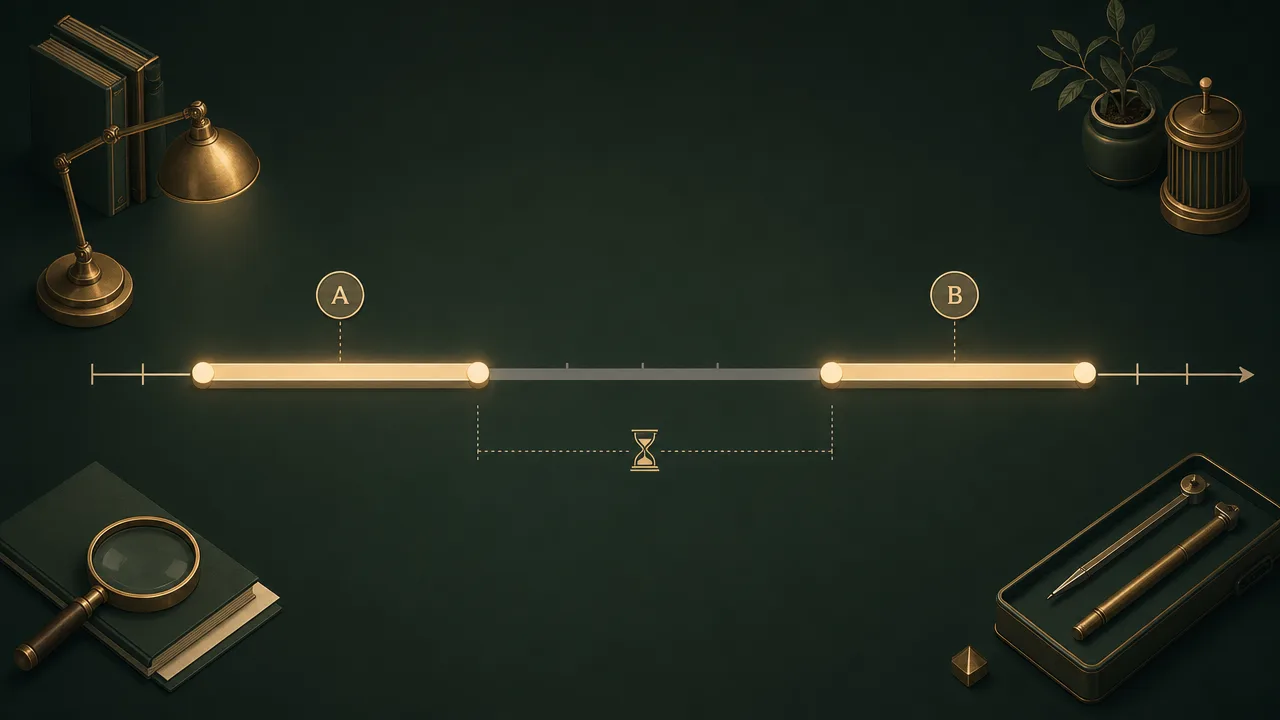
Every session-length implementation answers three questions: what counts as a start, what counts as an end, and what gap between events is too long to be part of the same session. The answers differ between web analytics and computer-activity tracking, but the structure is the same.
On the web, Google Analytics 4 starts a session when the first event is recorded after a period of inactivity, and ends it when no events have been recorded for the duration of the session timeout. The default timeout is thirty minutes of inactivity, configurable between five minutes and roughly eight hours. Any activity within the timeout window resets the countdown, so a visitor who interacts every few minutes is treated as one long session. A visitor who closes the tab and returns ninety minutes later is treated as two separate sessions.
On the computer, the underlying mechanism is similar but the signal is different. A local activity tracker listens for keyboard and mouse events from the operating system. Each event resets an idle timer. As long as the timer stays below the configured idle threshold, the user is in the same session. When the timer crosses the threshold, the session is closed at the timestamp of the last input. Typical idle thresholds in this space sit between five and twenty minutes, considerably shorter than the web default.
The choice of threshold has a large effect on the result. A short timeout produces more sessions, each shorter, and treats brief pauses as breaks. A long timeout produces fewer sessions, each longer, and treats brief pauses as part of the same continuous stretch. Comparing session length across tools without checking the timeout is one of the easier ways to draw the wrong conclusion.
A few other rules matter. Locking the screen or putting the device to sleep typically closes the session immediately, regardless of the timeout. Long video playback or meetings without input usually cross the idle threshold and close the session even though work is plainly happening.
Common benchmarks
Like most activity metrics, published benchmarks for session length are noisy. They vary by domain, industry, and the timeout rules used to count them. The figures below are commonly cited reference points rather than universal truths.
- For web traffic measured through Google Analytics 4, average session duration medians around two minutes and nineteen seconds across small and medium business sites, according to aggregated Databox reporting from more than 150,000 campaigns. A range of two to four minutes is often described as a healthy benchmark for general content sites.
- Mobile gaming sessions are typically short. Industry reporting describes a global median mobile gaming session of around five to six minutes, reflecting the on-the-go nature of phone play.
- Console and PC gaming sessions are much longer. Player Counter and similar trackers describe typical adult sessions on these platforms in the range of one to four hours, with younger adult cohorts skewing toward the upper end. A 2015 study cited across the same outlets reported an overall average real-life gaming session length of about ninety minutes.
- For focused knowledge work, RescueTime exposes Focus Sessions in lengths from fifteen to sixty minutes by default, which is a reasonable real-world range for sustained work blocks.
- The Pomodoro Technique, introduced by Francesco Cirillo in the late 1980s, popularised a twenty-five minute focus interval followed by a short break. The interval was chosen as a balance between long enough to make progress and short enough to feel approachable.
Benchmarks for daily computer-session length in knowledge work are harder to pin down. Most published figures describe total computer time rather than session length specifically, and the difference depends on how sessions are counted. The most defensible comparison for any individual is their own trend over weeks and months.

Examples
A few worked examples make the rules concrete.
A player launches a strategy game at 20:00 and plays continuously, with mouse and keyboard input every few seconds, until 22:15. The application closes at the end. The session length is two hours and fifteen minutes, bounded by explicit start and end events rather than any timeout. A short pause to read a tooltip or check a build order never approaches the idle threshold and has no effect on the count.
A knowledge worker sits down at 09:05, opens a document, and writes steadily until 09:50 with regular typing and scrolling. At 09:50 they leave for a coffee. They return at 10:15 and resume work. If the idle threshold is ten minutes, the first session closes at roughly 10:00, twenty-five minutes of idle time falls outside any session, and a new session starts at 10:15. The day shows two focus blocks rather than one continuous stretch.
A reader lands on a long-form article at 14:00, scrolls and clicks for three minutes, then leaves the tab open in the background while doing other work. At 14:30, with no further events recorded, the Google Analytics session ends at the timeout, and any later interaction with that tab is counted as a new session. The reported session length is approximately three minutes, even though the tab was visible far longer.
Misconceptions
The most common misconception is that a longer session is always a better session. On a content site that might be true. On a checkout flow, a short session is usually a healthy one because it means the user found what they needed quickly. For computer work, very long sessions can reflect deep focus, but they can equally reflect fatigue, leaving an application open in the background, or sliding into low-value time on the same window. Length without context is a thin signal.
A second misconception is that session length and active time are the same number. They are related but not identical. Session length is the wall-clock duration from start to end. Active time is the portion of that duration during which input was actually being registered. A long session with frequent input has high active time. A long session with sparse input can have surprisingly little.
A third misconception is that session counts can be compared across tools without thought. Because the timeout settings and event definitions differ, the same hour of work can produce one long session in one tool and several short ones in another. Within a tool the numbers are internally consistent. Across tools they should be treated as approximate.
Related concepts
Session length sits at the centre of a small cluster of activity metrics. The neighbours below are the most useful to know when interpreting it.
- Active time: the portion of a session during which input was actually being provided.
- Focus time: continuous active time on a single application or task, without switching.
- Idle time: the gaps between sessions, where no input is registered for longer than the threshold.
- Uptime: the total time the device has been powered on, regardless of session boundaries.
- Foreground application: the application against which a given session's time is attributed.
- Context switching: how often the foreground application changes within a session.
- Application usage: the breakdown of session time across the applications that were active.
- Deep work: long, uninterrupted sessions spent on cognitively demanding tasks.
- Focus fragmentation: a workday made of many short sessions rather than a few long ones.
- Activity trends: how session length and frequency change over days, weeks, and months.
Tracking session length
Session length can be tracked anywhere a tool can observe a stream of activity events. Web analytics scripts do it by listening for page views and custom events, and applying a timeout when those events stop arriving. Computer-activity tools like WhatPulse do it by listening for keyboard and mouse events at the operating-system level, attributing the time to whichever application is in the foreground, and closing the session when input stops for longer than the configured idle threshold.
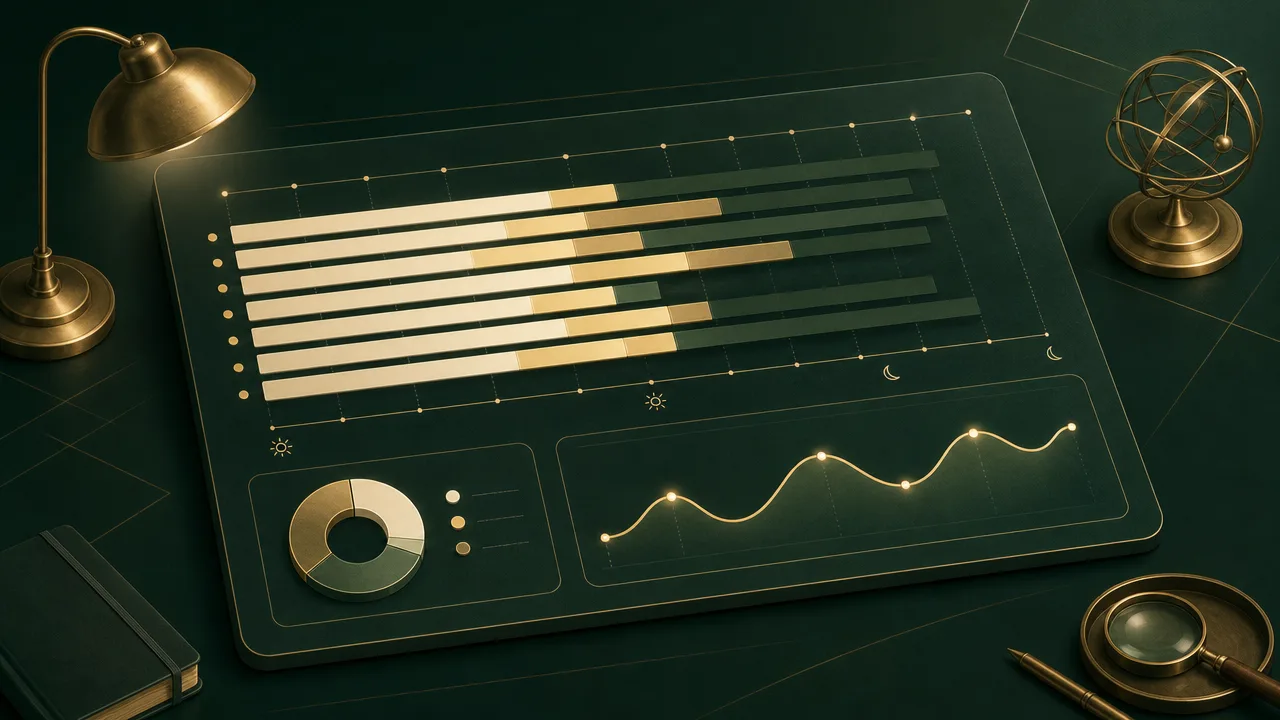
The practical value of tracking session length on a local activity tool is the shape it gives to a day. Total active time tells you how much you used the machine. Session length tells you how that use was distributed. Many short sessions across many applications point toward fragmentation. A handful of long sessions point toward sustained work or sustained play. Either pattern can be appropriate. The point of the metric is to make the pattern visible rather than to recommend one over the other.
Because session length depends so heavily on the idle threshold, the most useful configuration step in any activity tracker is to choose a threshold that matches the rhythm of the work being measured.
Frequently asked questions
What counts as the start of a session?
On the web, a session usually starts when the first interaction is recorded after a period of inactivity. On a computer, a session typically starts when the device wakes or when input resumes after the idle threshold has been crossed.
What ends a session?
A session ends when no qualifying activity is observed for the duration of the timeout window. The default in Google Analytics 4 is 30 minutes of inactivity, while local activity trackers usually close sessions after five to twenty minutes without input.
Is a longer session always better?
No. A longer session can indicate engaged work or it can indicate fatigue, doomscrolling, or simply leaving an application open. Length is informative only when paired with what was happening inside the session.
How is a web session length different from a computer session length?
A web session is scoped to a single site or property and is built from page views and event hits. A computer session is scoped to the device and is built from operating-system input events. The two answer different questions and are not interchangeable.
Does session length include time the screen was locked?
In most computer-activity tools it does not. Locking the screen, putting the device to sleep, or letting the idle timer expire usually closes the current session and any later activity opens a new one.
What is the average mobile gaming session length?
Industry reporting commonly cites a median mobile gaming session of around five to six minutes. Console and PC gaming sessions are generally longer, in the range of one to four hours for many adult players.
Where does the 25-minute Pomodoro interval come from?
It comes from Francesco Cirillo, who developed the Pomodoro Technique as a university student in the late 1980s. He chose 25 minutes as a window long enough to make progress but short enough to feel approachable without burning out.
Can I change the session timeout?
Usually yes. Web analytics platforms and local activity trackers both expose a configurable timeout, although the allowed ranges differ. Changing the threshold changes session counts and average length, so it should be done deliberately.
Conclusion
Session length is a precise measurement of a simple thing: how long a single continuous stretch of activity lasted before the system decided it was over. The arithmetic is trivial. The interesting part is the rules that draw the boundary, which differ between web analytics and computer-activity tracking and which can change the answer dramatically.
Read alone, session length can mislead. Read alongside active time, focus time, and the application mix inside the session, it gives a clean view of how attention is being distributed across a day. As with most activity metrics, the most reliable benchmark is a person's own trend over time rather than a published average.