Screen fatigue
Physical and cognitive tiredness from prolonged display use.
Screen fatigue is the everyday term for the bundle of symptoms that builds up over a long day spent in front of displays. It covers two overlapping experiences: the physical strain on the eyes and body that clinicians call computer vision syndrome or digital eye strain, and the broader cognitive tiredness that comes from sustained attention on screens, including the now-familiar drained feeling after back-to-back video calls.
This page covers what screen fatigue is, why it matters, how researchers and clinicians have tried to measure it, what the most commonly cited reference points are, and where the popular understanding tends to be wrong.
What is screen fatigue?
Screen fatigue is not a single clinical diagnosis. It is an umbrella label that combines a recognised set of physical symptoms with a more diffuse sense of cognitive tiredness, both of which tend to track with the number of hours spent on digital displays.
The physical component is well described. The American Optometric Association defines computer vision syndrome, also called digital eye strain, as a group of eye and vision-related problems that result from prolonged computer, tablet, e-reader, and phone use. The most commonly reported symptoms are eyestrain, headaches, blurred vision, dry or irritated eyes, and neck and shoulder pain. The underlying mechanisms involve sustained near focus, reduced and incomplete blinking while concentrating on a screen, glare, and posture held for too long without a break.
The cognitive component is harder to pin down but just as real for the people experiencing it. Long stretches of screen time, especially when packed with video meetings, content streams, and rapid context switching, produce a particular kind of mental tiredness that is not the same as ordinary work fatigue. Jeremy Bailenson's 2021 paper Nonverbal Overload at Stanford offered a theoretical account of why video calls specifically feel so draining, attributing the effect to prolonged close-up eye contact, the cognitive load of producing and reading nonverbal cues through a webcam, constant self-view, and limited physical movement.
In everyday use, people rarely separate the two. The phrase screen fatigue captures both at once: tired eyes and a tired head, both attributable to the time spent on a display.
Why does screen fatigue matter?
Screen fatigue matters because the conditions that produce it are now the default for most knowledge work. Vision Council survey work has placed average daily computer use among American workers at around seven hours, and around 60 percent of adults report spending five or more hours per day on digital devices overall. Whatever the precise threshold for symptoms, the population sits well above it.
The consequences are practical rather than dramatic. Screen fatigue does not appear to cause permanent damage, but it reliably degrades the quality of the time it touches. Tired eyes and a tired head produce slower reading, more typos, shorter attention spans, more frequent context switching, and earlier disengagement from demanding tasks. Persistent symptoms also push people toward shallower forms of work in the afternoon, where passive consumption replaces deeper effort.
For individuals, it is a recovery question. For teams, it overlaps with conversations about meeting load, uninterrupted focus blocks, and the structure of the working day. Either way, the underlying signal, total time on screens and the length of unbroken sessions, is something most people underestimate without a record.
How is screen fatigue identified or measured?
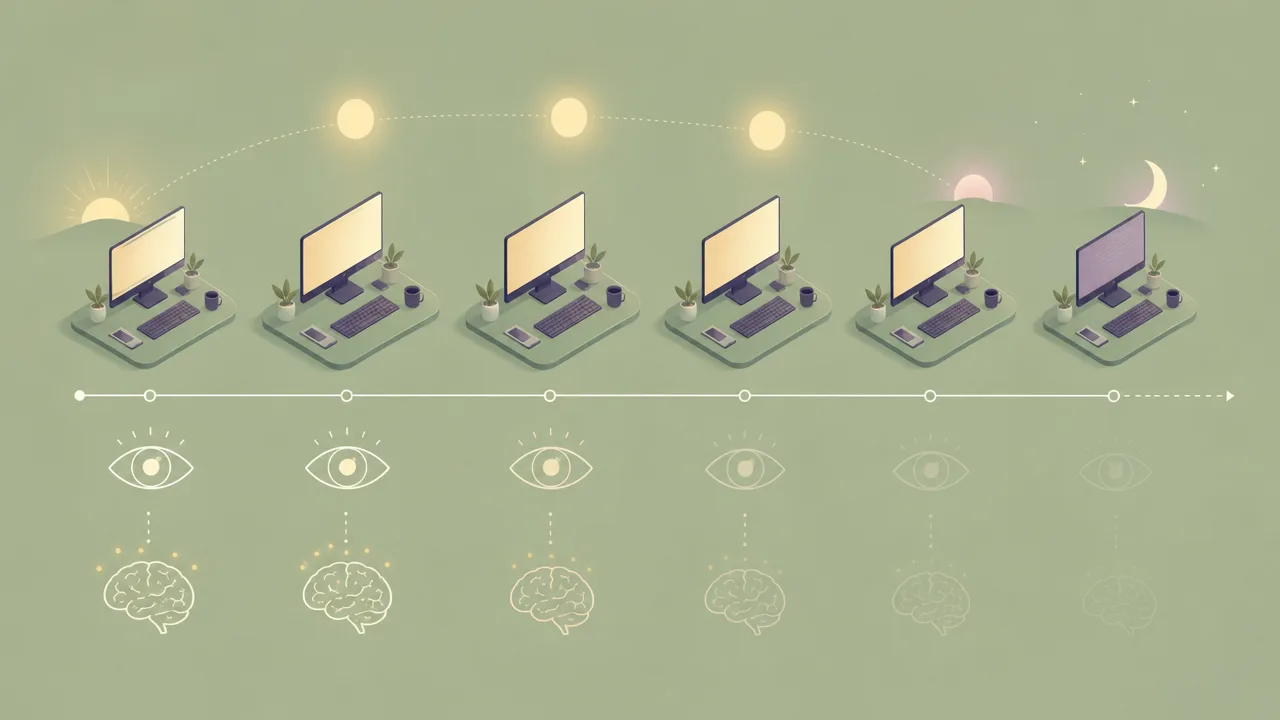
There is no single instrument for screen fatigue. Researchers and clinicians rely on a mix of self-report, symptom checklists, indirect physiological measures, and behavioural proxies. Each captures part of the picture.
Self-report is the most common approach. Standardised questionnaires such as the Computer Vision Syndrome Questionnaire ask people to rate the frequency and intensity of a list of symptoms over a recent period. Surveys at population scale, such as those run by the Vision Council, use shorter symptom prompts to estimate prevalence in adult populations. These instruments are useful but rely entirely on what people notice and remember.
Symptom lists themselves are a rough form of measurement. The American Optometric Association groups the typical complaints into eyestrain, headaches, blurred vision, dry eyes, and neck and shoulder pain. A person who can tick most of those boxes after a long screen day is almost certainly experiencing screen fatigue, regardless of whether a formal diagnosis is attached.
Hours-of-display is the most common indirect proxy. It is not a measure of fatigue itself, but it correlates with symptom prevalence. The Vision Council identifies two or more continuous hours of screen use per day as the threshold at which symptom risk rises significantly, and continuous session length tends to matter more than the daily total alone.
Blink-rate research is one of the more interesting physiological signals. The normal resting blink rate sits around 15 to 20 blinks per minute. Multiple studies have found that this rate roughly halves, and by some measures drops further, during sustained screen use, with a parallel increase in incomplete blinks. Reduced blinking is one of the better-supported physical mechanisms behind dry eyes and visual discomfort on screens.
For the cognitive side, the closest thing to a measurement framework is the body of Zoom fatigue research that followed Bailenson's 2021 paper. Subsequent work, including the Zoom Exhaustion and Fatigue Scale developed with colleagues, attempts to score the specific tiredness associated with video meetings across emotional, visual, social, and motivational dimensions.
Common benchmarks
Hard benchmarks for screen fatigue are limited and should be treated as orientation points rather than precise targets. The most commonly cited figures are:
- The American Optometric Association cites surveys placing the prevalence of digital eye strain symptoms among American adults at roughly 50 to 65 percent, with computer-heavy workers reporting the highest rates.
- The Vision Council's Digital Eye Strain reports have placed average daily computer use among American workers at around seven hours, and reported that more than 60 percent of adults spend five or more hours per day across digital devices overall.
- The Vision Council identifies two or more continuous hours of screen use as the threshold above which digital eye strain risk increases significantly.
- The 20-20-20 rule, coined by optometrist Jeffrey Anshel around 1991, recommends looking at something at least 20 feet away for at least 20 seconds every 20 minutes of close screen work. It is a memorable habit prompt rather than a rigorously validated intervention.
- Blink-rate research consistently finds a substantial drop during screen use compared with offline reading or ordinary conversation, with reductions commonly reported in the range of one half to two thirds of baseline.
- Bailenson's 2021 Nonverbal Overload paper, published in Technology, Mind, and Behavior, is the most cited theoretical reference for Zoom fatigue and sets out four candidate mechanisms specific to video calls.
These figures come from different methodologies and define screen fatigue in different ways. The right benchmark for any one person is almost always their own recent trend rather than a population average.
Examples
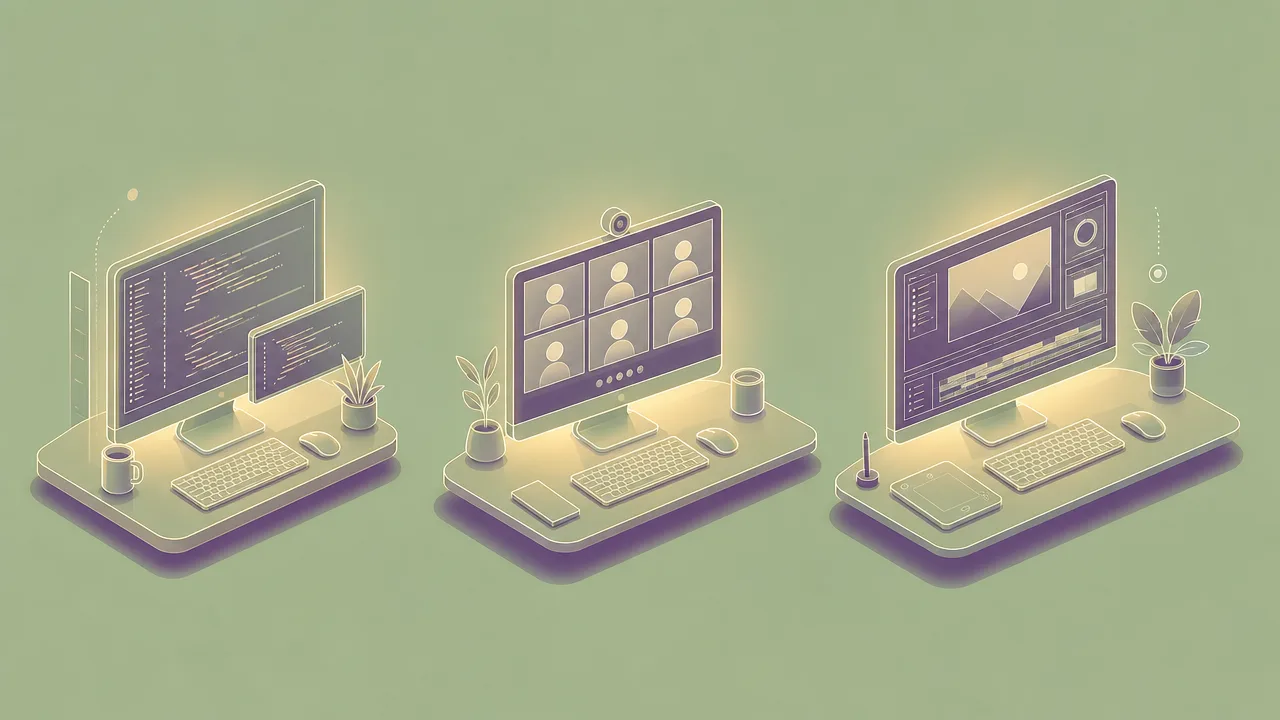
A few worked examples illustrate how screen fatigue tends to surface in practice.
A software developer spends roughly seven hours of a workday on the computer, split between an editor, a terminal, and a browser. They take short breaks for coffee and a longer lunch break away from the screen. By late afternoon they notice that their eyes feel gritty, their reading speed has dropped, and they reach for easier work. The total screen time is unremarkable; the unbroken stretches in the late morning and afternoon are where the fatigue actually accumulated.
A product manager spends the same day in six back-to-back video calls. Their accumulated active time on the computer is modest because long stretches were spent listening, but they finish the day visibly drained. The Zoom-fatigue research applies cleanly here: hours of close-up faces, constant self-view, and limited movement produce a kind of tiredness that the active-time number entirely misses.
A student writes an essay across a long evening, working in two unbroken three-hour sessions with a short meal break between them. The display has been close to their face the whole time, blink rate has been low throughout, and there has been no opportunity for distance focus. The result is classic computer vision syndrome: a dull headache, dry eyes, and a sense that the last hour was much less productive than the first.
Misconceptions
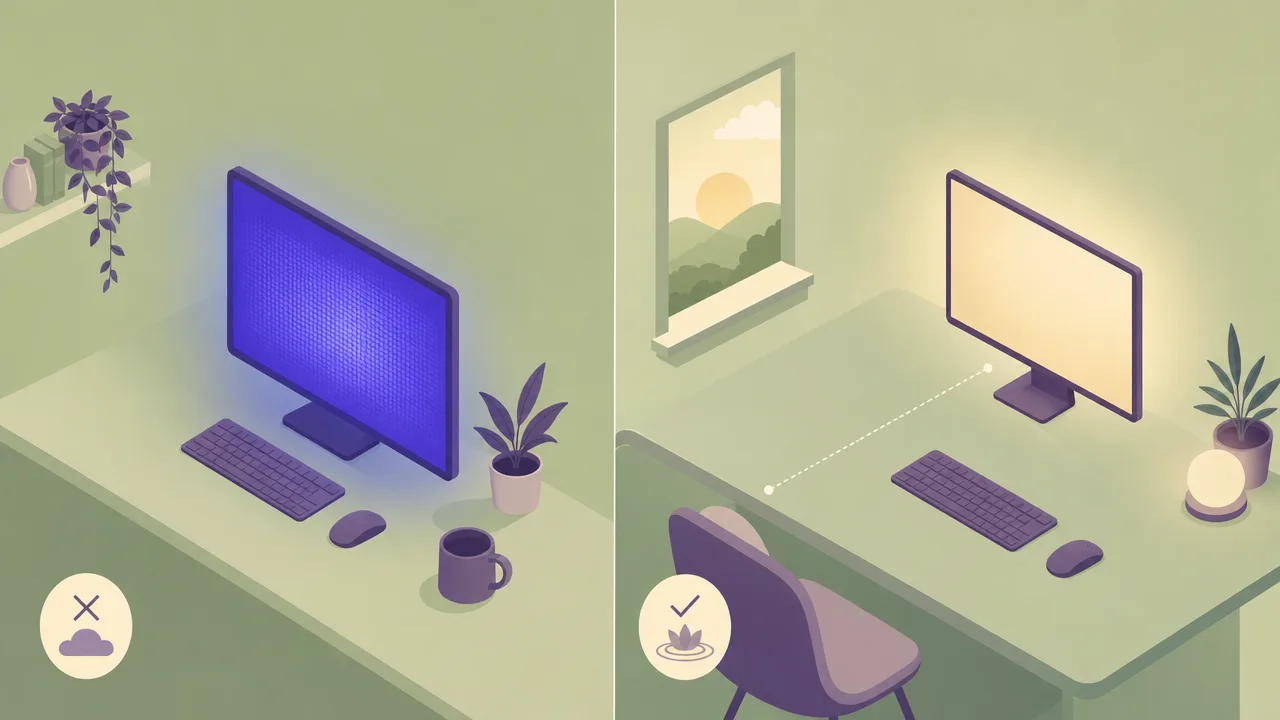
The most widespread misconception is that blue light is the primary villain. The American Academy of Ophthalmology has been explicit that there is no scientific evidence that blue light from digital devices damages the eye or causes age-related macular degeneration. Blue light does influence sleep timing in the evening, which is a separate issue worth taking seriously, but the eye-strain symptoms commonly attributed to it are more plausibly explained by reduced blinking, sustained near focus, glare, and poor ergonomics. Specialised blue-light glasses sold for general computer use are not supported by strong evidence.
A second misconception is that screen fatigue is the same as eye damage. The symptoms grouped under computer vision syndrome are functional: they appear during and after screen use and tend to resolve with rest, better ergonomics, and treatment of any dry-eye condition. There is no reliable evidence that ordinary screen use causes structural damage to the eye. Treating screen fatigue as a creeping injury tends to produce anxiety without changing the underlying habits that drive it.
A third misconception is that screen time alone is the right unit of measurement. Two people who spend the same daily hours on screens can end the day in very different states depending on how those hours were distributed, whether they included video calls, how often they took distance-focus breaks, and the quality of their workstation. Screen time is a useful starting indicator, but continuous session length, posture, and the nature of the on-screen task all do more to explain who actually feels tired.
Related concepts
Screen fatigue sits inside a broader vocabulary of attention, workload, and computer-usage concepts. The neighbours worth knowing are:
- Active time: the portion of computer time during which a person is providing input, often correlated with continuous screen exposure.
- Session length: the duration of a single continuous period of use, a stronger predictor of fatigue than daily totals.
- Deep work: extended focus on cognitively demanding tasks, which depends on having enough recovery left in the day.
- Digital overload: the broader sense of being overwhelmed by digital inputs, of which screen fatigue is one component.
- Focus fragmentation: the splintering of attention across many short sessions, which compounds the cognitive side of screen fatigue.
- Uptime: the time a computer has been powered on, a coarse upper bound on possible screen exposure.
- Notification fatigue: the tiredness produced by constant interruption, which tends to coexist with screen fatigue in heavy device users.
- Doomscrolling: long passive scrolling sessions that combine continuous near focus with emotionally taxing content.
- Idle time: stretches without input, which sometimes provide the distance-focus breaks that the 20-20-20 rule tries to encourage.
Tracking screen fatigue
Screen fatigue itself cannot be measured directly by software. The symptoms, dry eyes, headaches, blurred vision, mental tiredness, all live in the user, not the operating system. What software can do is record the conditions that tend to produce those symptoms, and surface them in a way that makes the patterns visible.
A computer-activity tracker such as WhatPulse records the total time spent on the machine each day, the length of unbroken active sessions, the mix of applications in use, and how the workload is distributed across the week. None of those numbers diagnose screen fatigue, but together they reveal the structural conditions that drive it: very long days, very long continuous sessions, video-heavy schedules, and an absence of meaningful breaks. Seeing the shape of a week often does more to change behaviour than any single intervention.
Used this way, the data is a prompt rather than a verdict. It cannot tell anyone that their eyes hurt. It can tell them that they have spent four hours straight in front of the screen, three days running, and that this is when their late-afternoon focus tends to collapse. The decision to do something about it remains theirs.
Frequently asked questions
Is screen fatigue the same as computer vision syndrome?
Not quite. Computer vision syndrome describes the physical eye and vision symptoms produced by prolonged display use. Screen fatigue is the broader, everyday term that also includes the cognitive tiredness and general drained feeling many people report after long screen days.
Does the 20-20-20 rule actually help?
The 20-20-20 rule, coined by optometrist Jeffrey Anshel around 1991, suggests looking at something 20 feet away for 20 seconds every 20 minutes of screen use. It was designed to be a memorable prompt to take breaks rather than a rigorously tested intervention, and follow-up research has questioned how much it changes symptoms. Most clinicians still recommend it as a low-cost habit.
Is blue light from screens damaging my eyes?
The American Academy of Ophthalmology states there is no scientific evidence that blue light from digital devices damages the eye or causes age-related macular degeneration. Blue light can affect sleep timing in the evening, but the eye-strain symptoms people attribute to it are more plausibly explained by reduced blinking and sustained near focus.
Why am I so tired after a day of video calls?
Jeremy Bailenson's 2021 Stanford paper Nonverbal Overload proposes four mechanisms specific to video calls: prolonged close-up eye contact, the cognitive load of producing and interpreting nonverbal cues through a webcam, constant self-view in the mirror tile, and reduced physical movement. Together they help explain why video meetings feel more draining than equivalent in-person time.
How many hours of screen use is too many?
There is no clean threshold. The Vision Council notes that two or more continuous hours of screen use per day is associated with significantly higher digital eye strain symptoms, and that many adults exceed five hours daily across all devices. Continuous session length matters more than the daily total.
Can a tracker diagnose screen fatigue?
No. Trackers can record how many hours you spent on a display and how long your continuous sessions were. They cannot measure dry eyes, headaches, or cognitive tiredness. They can flag risk patterns and prompt a break, but the symptoms themselves are self-reported.
Does screen fatigue cause permanent eye damage?
Current evidence does not link screen use to permanent damage. Computer vision syndrome describes functional symptoms, dryness, blurred vision, strain, headaches, that resolve with rest and ergonomic adjustments. It is not the same as the structural eye disease people sometimes assume it to be.
What is the difference between screen fatigue and digital overload?
Screen fatigue centres on the physical and cognitive effects of staring at displays. Digital overload is the broader sense of being overwhelmed by digital inputs in general, including notifications, messages, and content streams. They overlap, but screen fatigue is rooted in the display itself while digital overload is rooted in the volume of information.
Conclusion
Screen fatigue is the everyday name for a real, well-documented set of effects that come from spending long hours in front of displays. The physical side is captured by computer vision syndrome and explained by mechanisms like reduced blinking and sustained near focus. The cognitive side is captured by Zoom-fatigue research and similar work on the tiredness produced by video meetings and continuous on-screen attention. Neither side appears to produce permanent damage, and neither responds well to single-cause fixes like blue light filters.
The most useful response is structural: shorter continuous sessions, regular distance-focus breaks, sensible ergonomics, and an honest picture of how the working day actually looks. Activity tracking will not measure tiredness, but it can show the shape of the screen time that produces it, and that is usually where any worthwhile change starts.