Mouse clicks
Pointer-button activations and what they reveal about navigation.
Mouse clicks are the most obvious unit of computer interaction. Every navigation, selection, and confirmation you make with a pointing device ends in one. They are also one of the easiest signals to count, which is why nearly every activity tracker, ergonomic tool, and usage analytics application reports a click total alongside keystrokes and active time.
This page covers what counts as a mouse click, how clicks are measured, the published benchmarks for office and gaming use, how clicks relate to strain and hardware lifetime, and where the metric sits in the broader vocabulary of input activity.
What is a mouse click?
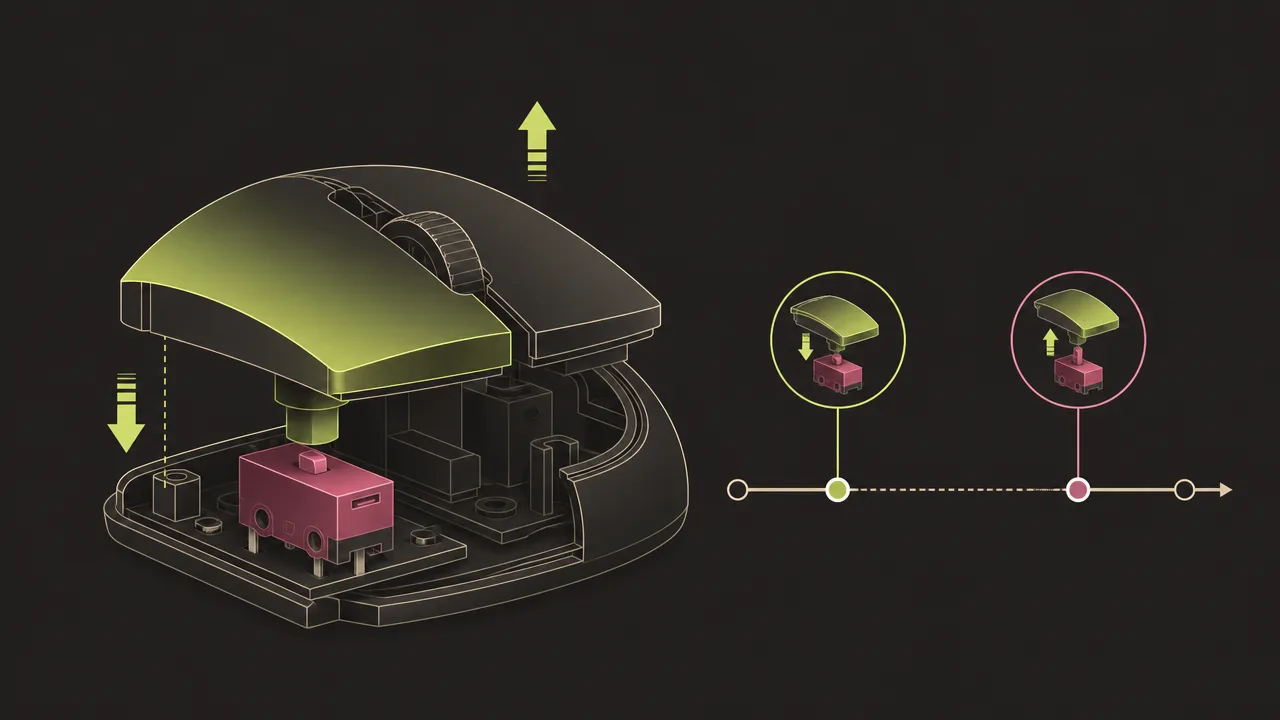
A mouse click is a single discrete activation of a button on a pointing device. At the hardware level it is a pair of events: a press, when the micro-switch under the button closes, and a release, when it opens again. The operating system observes both halves and reports them to applications as button-down and button-up events, paired with the screen coordinate where the cursor was at the time.
Most counters treat a complete press-and-release pair as one click. Applications are free to interpret the same pair differently, for example by waiting for a second click within a short window to register a double click, or by treating a long press as a drag. Those interpretations sit above the click count, not inside it.
The same underlying signal covers trackpads, drawing tablets, trackballs, and most other pointing devices that present themselves to the operating system as mice. A tap on a laptop trackpad is generally reported as a click event, and a tracker has no easy way to tell that the user did not press a physical button.
Why do mouse clicks matter?
Click counts are a simple, durable, and surprisingly informative signal about how someone uses a computer. They track volume of interaction without requiring any understanding of what the user is doing. Combined with the foreground application and the keystroke count, they give a compact picture of input behaviour across the day.
For individuals, clicks are a useful self-awareness metric. A click total that is climbing without a matching increase in output usually points at navigation overhead: too many tabs, an interface that requires constant drilling, or a habit of switching between tools instead of working inside one. Trends in clicks per active hour can also surface changes in tooling, such as the move from menus to keyboard shortcuts.
For ergonomic and hardware contexts, clicks matter for a different reason. The micro-switches inside mouse buttons have finite mechanical lifetimes, and repeated clicking is one of the documented contributors to upper-limb repetitive strain injury. Counting clicks gives both the human and the device a way to age in measurable units rather than in vague impressions of heavy use.
How are mouse clicks measured?
Mouse clicks are measured by subscribing to low-level input events from the operating system. On Windows this is typically a low-level mouse hook or a raw-input subscription; on macOS it is an event tap; on Linux it is a stream from the input subsystem or X server. Each press-and-release pair is recorded as one click, usually tagged with the button that produced it and the application window that was in the foreground at the time.
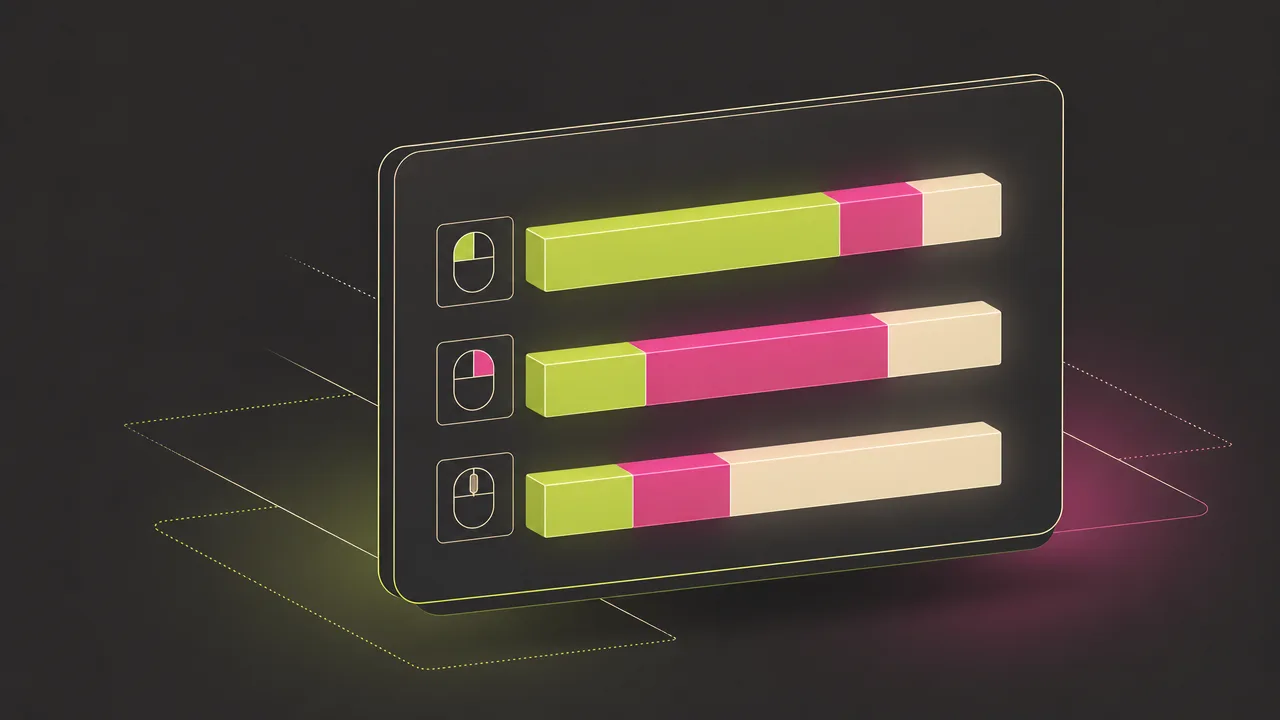
Counters distinguish at least three button identifiers. Left clicks are the primary action and dominate most users totals. Right clicks open context menus and are a useful proxy for how much someone navigates through menus rather than shortcuts. Middle clicks, including pressing the scroll wheel as a button, are less common but heavily used in some workflows like opening browser tabs.
Double clicks are not a separate event type at the hardware level. They are simply two normal clicks within a short window, conventionally configured around five hundred milliseconds. Most click counters will record both events; a small number of tools collapse them into one semantic action. The distinction matters when comparing totals across tools.
Drag operations complicate counting in minor ways. A drag is a press, a series of movement events, and a release, which most trackers correctly record as one click. Touch-screen taps and accessibility tools that synthesise clicks are usually counted too, because the operating system delivers them as ordinary click events. Counter accuracy is limited mostly by the rate at which the system can deliver events, well below one millisecond.
Common benchmarks
Hard population averages for daily click counts are scarcer than they look. Most published figures come from individual analytics tools or vendor blogs rather than peer-reviewed studies, so they should be treated as indicative rather than definitive. With that caveat, the most commonly cited reference points are:
- A typical office computer user is widely reported to click between five thousand and seven thousand times in a full working day, with measured rates of roughly six hundred clicks per hour during active periods.
- Designers and other heavy pointing-device users frequently exceed those numbers, with click-heavy workflows in tools like Figma, Photoshop, or CAD packages pushing daily totals into the tens of thousands.
- Casual gamers in click-driven genres typically sustain around four to seven clicks per second during action sequences. Trained competitive players reach roughly ten to twelve clicks per second using normal technique.
- Specialised gaming techniques like jitter clicking and butterfly clicking push reported peaks well above twelve clicks per second, with butterfly clicking sometimes reaching the fifteen to twenty-five range. These are short bursts rather than sustained rates, and several games restrict them.
- Mouse-button micro-switches from Omron, the most common supplier to Logitech and Razer, carry published lifetime ratings in the tens of millions of activations per button. Razer has marketed switches rated at fifty million clicks; Logitech has done the same for parts of the MX line. Real-world lifetimes vary widely and switch failures often occur well before the rated number.
These are rough reference points, not targets. Individual variation is large, and the most reliable comparison for any one user is their own trend over weeks and months rather than any published average.
Examples
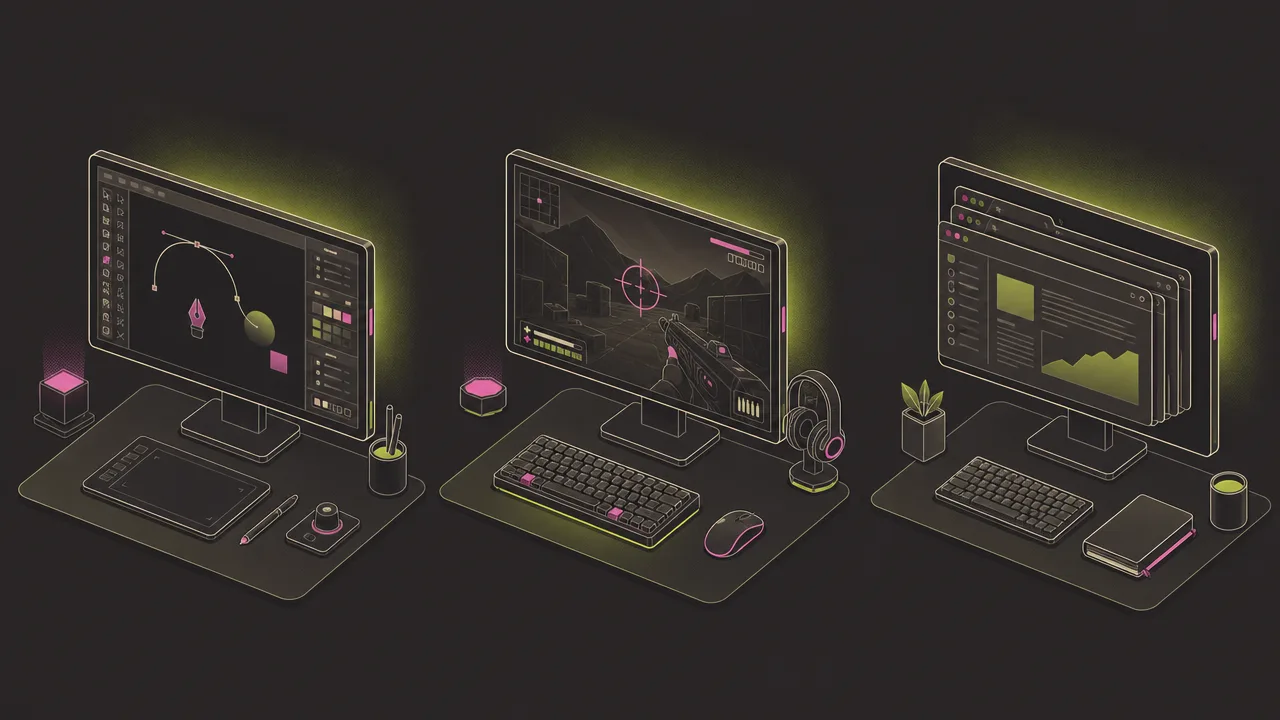
A few worked examples illustrate how click counts vary across realistic days.
A product designer spends a full day in Figma, moving between an artboard, a layers panel, and a properties sidebar. Every selection, alignment, and property change is a click. By the end of the day they easily exceed twenty thousand recorded clicks, most of them left clicks on small targets, with a noticeable share of right clicks for context menus. The total reflects the nature of vector tooling, not strain in any single muscle.
A competitive FPS player practises aim drills and plays ranked matches across a four-hour session. Their click rate during active engagements regularly sits in the eight-to-twelve-per-second range, with sustained bursts of rapid clicking during gunfights. Total clicks for the session are very high relative to a typical workday, and almost entirely concentrated on the primary button.
A knowledge worker spends the day reading, writing, and switching between email, a documentation site, and a browser full of tabs. Their click total lands in the typical office range of roughly five to seven thousand. A high share are tab and link navigation rather than content actions, a useful signal about how much of the day is spent in transit between tools.
Misconceptions
The most common misconception about click counts is that they measure effort. They do not. A long thoughtful writing session may produce only a handful of clicks; a frantic afternoon of cleaning up email may produce thousands. Treating the higher number as the more productive one inverts what the metric actually says about the work.
A second misconception is that click counts are directly comparable across people or tools. Click totals are heavily shaped by application choice, interface design, and personal preference for menus versus shortcuts. The same task done in two different applications can produce wildly different click counts without saying anything about the user.
A third common error is conflating the rated lifetime of a mouse switch with the expected lifetime of the mouse itself. Published click ratings are bench figures from a manufacturer test, and real switches can fail well before the rated number, particularly the Omron D2FC-F-7N series associated with widespread double-click issues in popular gaming mice.
Related concepts
Mouse clicks sit inside a small cluster of input and activity metrics. Reading the click count in isolation is usually less informative than reading it next to its neighbours.
- Keystrokes: the count of key presses, the closest equivalent metric for the keyboard.
- Input activity: the combined stream of keystrokes, clicks, scrolls, and movement events.
- Input intensity: a derived rate that normalises input volume against active time.
- Mouse heatmap: the spatial distribution of clicks and cursor positions on screen.
- Keyboard heatmap: the equivalent distribution across individual keys.
- Active time: the period during which input is actually being delivered to the system.
- Foreground application: the application that owns each recorded click.
- Application switching: click and key activity that crosses application boundaries.
- Activity trends: click and keystroke counts plotted over time to expose habits.
- Usage distribution: how click volume is spread across applications and categories.
Tracking mouse clicks
Mouse clicks can be recorded by any application with permission to observe input events at the operating-system level. WhatPulse is one such tool: it runs locally on Windows, macOS, and Linux, counts clicks per button per application as they happen, and lets the user inspect the totals per day, per week, and over longer periods.
Because counting happens on the device, no network connection is required for the underlying measurement, and the raw data does not leave the machine unless the user chooses to sync it. The same pipeline also captures keystrokes, active time, and foreground-application data, so the click number is always available alongside the context it occurred in rather than as a bare total.
The reason to measure clicks is rarely to chase a particular number. It is to have a stable baseline that exposes how interaction volume changes when tools, habits, or workloads change. Sudden jumps or drops in clicks per active hour are often the first visible signal of a shift in how someone is working.
Frequently asked questions
Does a double click count as one click or two?
At the hardware and operating-system level a double click is always two separate press-and-release events. Most counters record two clicks. Some applications collapse the pair into a single semantic action, but that is an interpretation layered on top of the raw count.
Are right and middle clicks counted the same way?
Yes. Any button on the mouse that the operating system exposes as a click event is recorded. Most trackers store the button identifier so left, right, and middle clicks can be reported separately if needed.
Do scroll-wheel rotations count as clicks?
No. Wheel rotations are scroll events, not click events. Pressing the wheel down as a button does count as a click, because the system registers it as a button activation.
How many clicks does a typical mouse last for?
Mouse-switch manufacturers publish lifetime ratings for the micro-switches inside the buttons. Common Omron switches used by Logitech and Razer are rated in the range of twenty to eighty million activations per button, depending on the model.
Can click counts be compared across people?
Only loosely. The same workload can produce very different totals depending on application choices, keyboard-shortcut habits, and pointing-device type. Compared against a person own history the metric is stable; across people it is approximate.
Do trackpad taps count as mouse clicks?
On most systems a trackpad tap is reported to applications as a click event, so trackers count it. Physical button presses on the trackpad are also counted. The two are usually indistinguishable in the recorded data.
Can click counting work offline?
Yes. Click counts are derived from local operating-system events and do not require a network connection. A tracker can record activity entirely on the device and only sync later if the user chooses to.
Is a higher click count better or worse?
Neither in isolation. A high click count can reflect productive interaction with a design tool or excessive navigation through a clunky interface. Click counts are signals about behaviour, not judgements about it.
Conclusion
A mouse click is a precise measurement of a small thing: a single button activation, attributed to whichever application happened to be in the foreground. Counted carefully and read in context, the click total is one of the more honest signals a computer-usage tracker produces about how someone navigates their machine.
It is not a measure of effort, productivity, or skill, and it should not be used as one. Compared against a person own history, paired with keystrokes and active time, and interpreted with awareness of the underlying hardware, clicks describe the texture of computer use in a way few other metrics manage.