Input activity
The raw stream of keyboard and mouse events that drives every other metric.
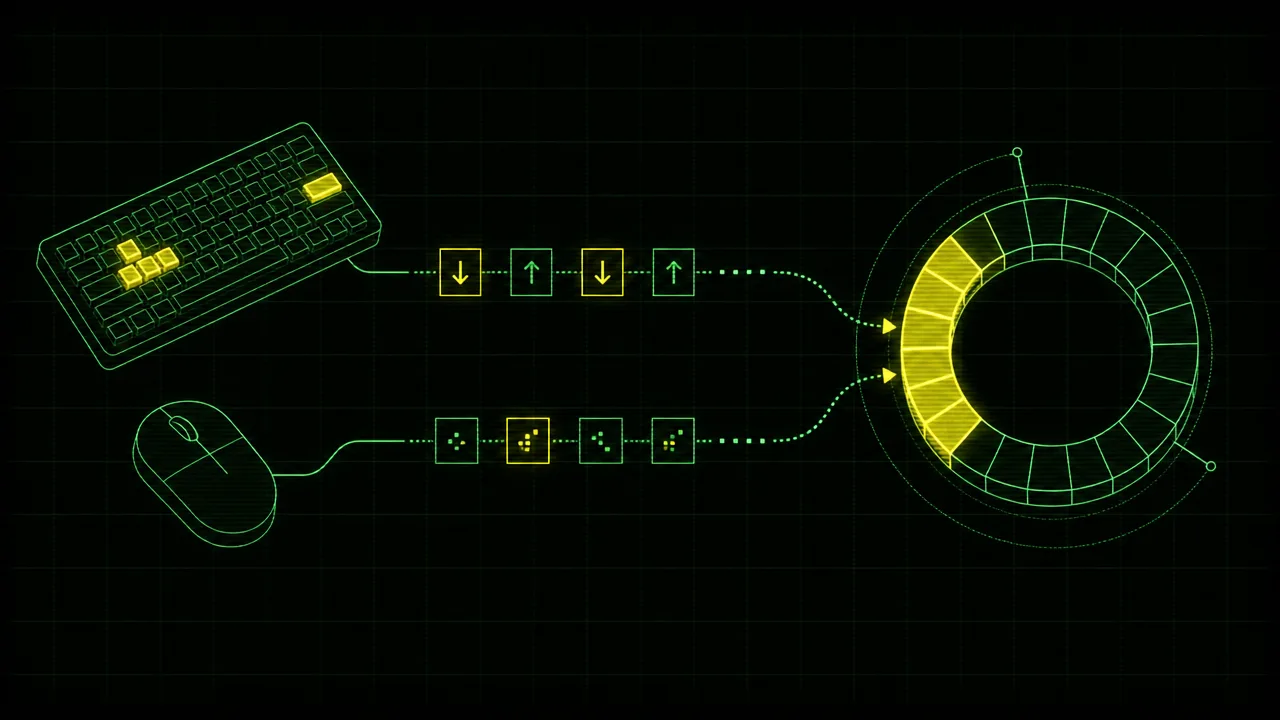
Input activity is the raw signal underneath almost every computer-usage metric. Active time, keystroke counts, click totals, application timelines, and idle detection are all derived from the same underlying stream: a sequence of small events generated by the operating system whenever a human touches the keyboard, moves the mouse, scrolls a wheel, or taps a trackpad.
This page describes what input activity is, what kinds of events it contains, how the major operating systems expose those events to applications, how trackers attribute them to processes, and the privacy properties that matter when designing or evaluating a tool that reads them.
What is input activity?
Input activity is the low-level event stream that an operating system produces in response to physical input from a keyboard, mouse, trackpad, scroll wheel, or other human-interface device. Each event is small and structured. A typical keyboard event records that a particular scancode went down or came back up, along with a timestamp and modifier-key state. A typical mouse event records a button transition or a relative movement delta. A scroll event records a direction and magnitude.
Six event types cover almost everything a desktop tracker cares about: keydown, keyup, mousedown, mouseup, mousemove, and scroll. Touch and pen events extend the model on devices that support them. Higher-level gestures (double-click, drag, pinch) are usually reconstructed by application or framework code from sequences of those primitive events rather than delivered as events in their own right.
The defining property of input activity, compared to the metrics derived from it, is that it is mechanical rather than interpretive. The stream does not know whether the user is writing an essay, playing a game, or jiggling the mouse while away from their desk. It only knows that an event occurred, when it occurred, and what kind of event it was.
Why does input activity matter?
Input activity matters because nearly every higher-level computer-usage number rests on it. Active time is a function of how recently the last input event was received. Keystroke and click counts are direct summarisations of keydown and mousedown events. Idle detection is the inverse: a measurement of how long the input stream has been quiet. Foreground-application attribution, focus blocks, context-switch counts, and input intensity all consume the same underlying feed.
Because so much depends on the input stream, errors at this layer propagate. If events are dropped during bursts, keystroke counts under-report and idle detection becomes jumpy. If synthetic events from a mouse jiggler are indistinguishable from real ones, every downstream metric inherits the deception. If permissions are misconfigured on macOS, the tracker silently records nothing. The reliability of computer-usage analytics is, in large part, the reliability of input capture.
For users, the practical consequence is that asking what something means starts at this layer. A surprising active-time number, a missing application in a timeline, or a keystroke total that looks wrong is almost always explained by something happening (or not happening) in the input event stream.
How is input activity captured?
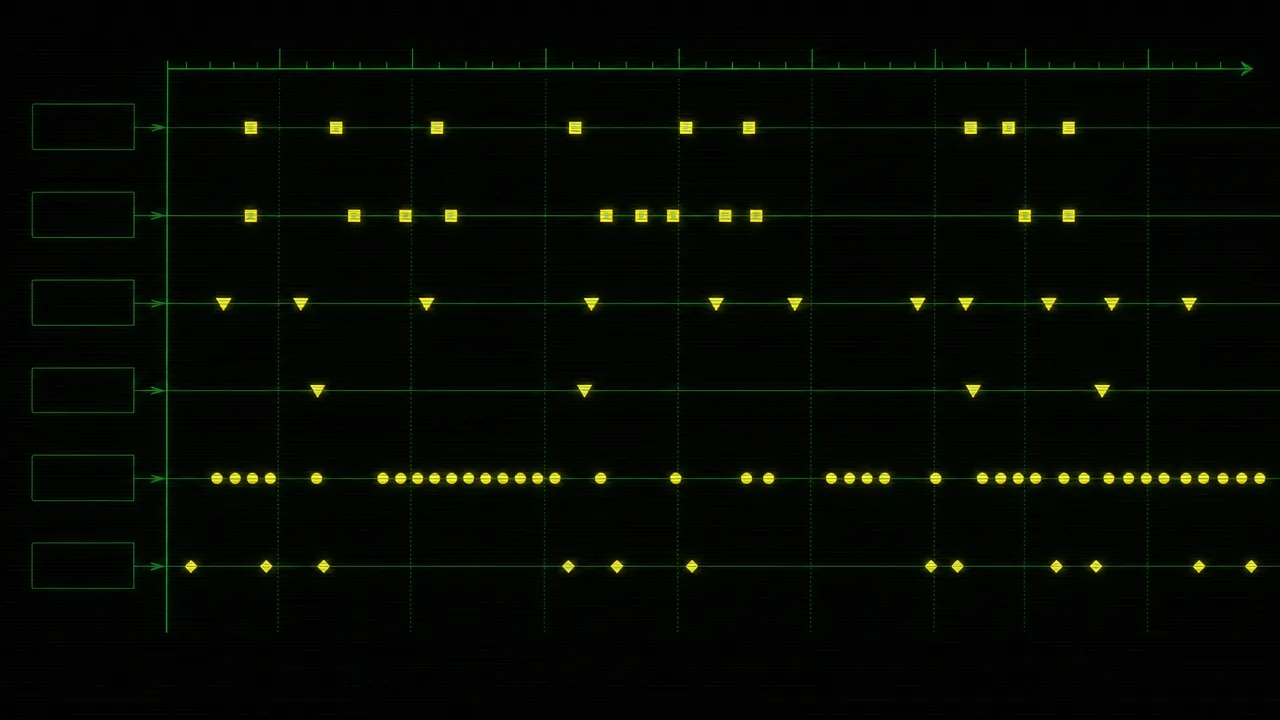
The three major desktop operating systems expose input events through quite different APIs, with quite different permission models. The mechanics matter because they shape what a tracker can and cannot do, and what users have to grant before any data flows at all.
Windows. The classic approach is a low-level keyboard or mouse hook installed through SetWindowsHookEx with WH_KEYBOARD_LL or WH_MOUSE_LL. The hook callback runs inside the calling process and receives every relevant event system-wide. The Raw Input API offers a more modern alternative, registering for raw HID-level events through RegisterRawInputDevices and processing them through WM_INPUT messages. Raw Input is generally preferred for game and analytics use because it bypasses cooked input processing and reports per-device events at higher fidelity. Both paths run in ordinary user mode and do not require administrator privileges, though they do require careful handling to avoid blocking the input queue.
macOS. The supported path is a Core Graphics event tap, created with CGEventTapCreate. The caller specifies which event types it wants and receives them through a callback as the events flow through the system. macOS gates this capability behind the Input Monitoring privacy privilege, which the user has to grant in System Settings, and many configurations additionally require Accessibility permission. Sandboxed applications can use event taps from macOS 10.15 onward. Without the right permissions, an event tap silently delivers nothing, which is a common source of confusion for new installs.
Linux. The kernel exposes input devices through the evdev subsystem as character devices under /dev/input. Reading those nodes yields a stream of struct input_event records, each carrying a type, code, and value. Higher up, X11 typically reads evdev through the xf86-input-evdev or libinput drivers, and Wayland compositors layer libinput on top of the same kernel interface. A user-mode tracker can read evdev directly with the right group membership, query X11 through XInput2, or, on Wayland, rely on the compositor to forward events through portal interfaces. Direct evdev reads see every event regardless of compositor; Wayland clients see only events the compositor chooses to forward, which is a deliberate privacy property of the protocol.
Across all three platforms, per-process attribution is handled the same way. When an event arrives, the tracker queries the operating system for the currently focused window and records the event against the process that owns it. Sampling rates are typically driven by the event stream itself rather than by polling. Keyboard events fire on physical key transitions, mouse movement is coalesced by the OS into deltas at the hardware sample rate (often around 125 Hz for ordinary mice, higher for gaming peripherals), and trackers usually further aggregate movement into per-second or per-minute summaries before storage.
Common benchmarks
There are no canonical figures for input activity in the way there are for active time. Event rates are idiosyncratic to the workload, the input device, and the operating system. With that caveat, a few rough reference points are useful when sanity-checking captured data.
- A sustained typing rate of forty words per minute corresponds to roughly two hundred keydown events per minute, plus matching keyups. Quick typists during burst writing can comfortably exceed four hundred keydowns per minute.
- Mouse movement during active use typically generates tens to hundreds of mousemove deltas per second, depending on hardware polling rate, before any coalescing. Most analytics tools collapse this into pixels of travel rather than raw event counts.
- A genuinely idle desktop emits effectively zero input events. A machine showing slow, regular movement events with no keyboard activity is the canonical fingerprint of a mouse jiggler rather than a user.
- Click rates of more than a few hundred mousedown events per hour, sustained over a full workday, are unusual outside specific workloads like image labelling, gaming, or stock trading.
Population-level statistics on daily keystroke counts exist in the ergonomics literature (the RSI and keyboard-load studies that inform workplace guidance), but the figures vary widely by job role and study design. Within a single user's own history, the more useful comparison is almost always their own baseline rather than a published average.
Examples
A few worked scenarios show how input activity behaves underneath familiar metrics.
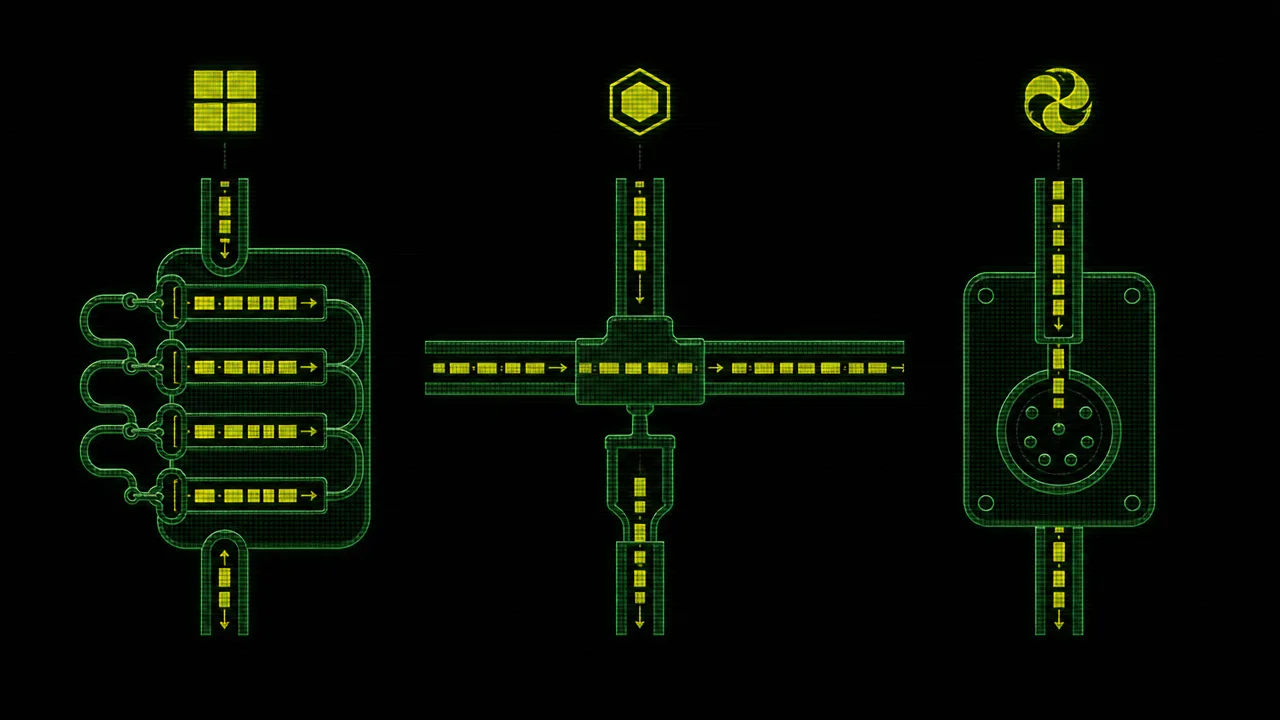
A writer drafts a chapter in a plain text editor. The input stream is dominated by keydown and keyup events, with occasional bursts of mousemove and mousedown when the cursor jumps to fix a typo. Aggregated to the minute, the trace shows a steady keystroke rate of around two hundred and fifty events per minute, almost no scrolling, and a few clicks. Active time accumulates continuously because no inter-event gap crosses the idle threshold.
A designer works in a vector tool. The input stream is dominated by mousemove deltas at the hardware polling rate and short bursts of mousedown and mouseup events as paths are drawn. Keystroke counts are low, consisting mostly of modifier holds and the occasional shortcut. The same active time as the writer's session is produced from a completely different mix of events, which is why input intensity and keystroke counts are reported as separate metrics rather than collapsed into one.
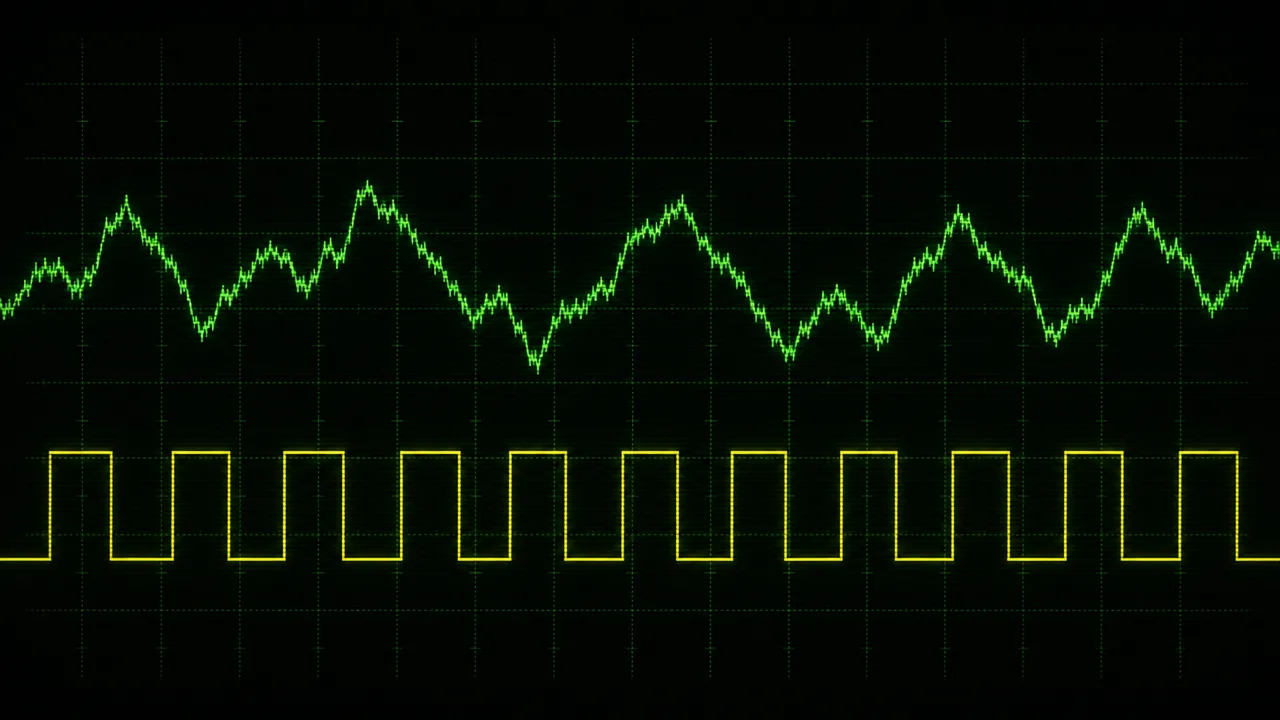
A laptop sits unattended on a desk with a mechanical mouse jiggler underneath the mouse. Every few seconds, the optical sensor registers a small movement and the OS emits mousemove events. Keyboard activity is zero and click activity is zero. To a metric that only watches inter-event gaps, the machine looks active. To one that examines the composition of the event stream, it looks obviously synthetic.
Misconceptions
The most damaging misconception is that input activity is the same as keylogging. A keylogger records the content of every keystroke so that the original text can be reconstructed. An activity tracker that operates on input activity counts events without storing the identities of the keys pressed. The same APIs can in principle be used for either purpose, which is what makes the distinction a matter of design choice and policy rather than technical capability. Treating any input-capable tool as a keylogger collapses an important difference; treating any input-capable tool as obviously benign ignores a real one.
A second misconception is that input activity is a proxy for understanding. The stream is mechanical. It does not know whether the user is producing a brilliant analysis or replying to spam. Inferences about the semantic content of work require additional context (which application is focused, which document is open, sometimes which website) and even then are inferences rather than measurements.
A third is that mouse jigglers reveal a weakness in the API. They do not. The operating system has no principled way to distinguish a real movement from a synthetic one at the event layer; both arrive through the same paths and look identical. Detection has to live higher up, in the patterns of the aggregated stream and in correlations between input and screen content. The event API is doing its job.
Related concepts
Input activity is the bottom of a small stack of metrics that build on it. Understanding the surrounding vocabulary helps when reading any tracker's dashboard.
- Keystrokes: the count of keydown events, often summarised per minute, hour, or day.
- Mouse clicks: the count of mousedown events, sometimes split by button.
- Active time: derived from input activity by measuring inter-event gaps.
- Idle time: the complement of active time, periods of quiet on the input stream.
- Foreground application: the process used for attributing each event.
- Activity tracking: the broader practice that consumes the input stream as one signal among several.
- Input intensity: the rate of events per unit time within active periods.
- Keyboard heatmap: a per-key aggregation built from keydown events without storing key identities outside a fixed map.
- Mouse heatmap: a spatial aggregation built from movement and click coordinates.
Tracking input activity
Any tracker that records input activity has to make two early design decisions that shape everything else: what to capture, and what to throw away. The most privacy-respecting designs capture only counts and aggregates: how many keydowns occurred per minute, how many clicks per application, how far the mouse moved, and not which keys, which buttons, or which coordinates beyond what a per-key or per-region heatmap requires. WhatPulse follows this approach. Events are summarised on the device, identities of pressed keys are not stored, and what reaches the dashboard is a numeric profile of activity rather than a reconstructable record of input.
Because the capture happens locally and the underlying APIs work without a network connection, input activity can be tracked entirely offline. Synchronisation to a personal dashboard, when enabled, ships only the aggregated counters. The same architecture is what makes user control meaningful: nothing leaves the device unless the user has chosen to send it.
That set of choices matters because the same APIs that support a counts-only tracker would just as readily support a keylogger. The distinction is in the implementation, not the underlying capability. When evaluating any tool that touches the input stream, the relevant questions are what it stores, where it stores it, who can see it, and whether the source code or independent review can confirm the answer.
Frequently asked questions
Is input activity the same as keylogging?
No. Keylogging records the identity of each key pressed, often along with the focused window and a timestamp, so the original text can be reconstructed. Activity trackers typically count events without recording which keys were pressed, which means the underlying content cannot be recovered.
Does input activity capture clipboard or screen content?
No. The input event stream describes the physical action (a key went down, the mouse moved by some delta, the scroll wheel turned), not the data being entered or what is on the screen. Clipboard and screen capture are separate APIs with their own permissions.
What event types are typically tracked?
Keydown, keyup, mousedown, mouseup, mousemove, and scroll. Touch and pen events are sometimes added on devices that support them. Most analytics tools collapse keydown into a single keystroke count and mousedown into a click count, with mouse movement summarised as distance.
Does input activity record what I typed?
It depends on the tool. A well-designed activity tracker counts events without storing them. Tools positioned as employee surveillance often record more, including keystroke content, which is a meaningful policy choice rather than a technical requirement of the underlying APIs.
Can input activity be captured without elevated permissions?
On macOS, no. The operating system requires the Input Monitoring privilege (and often Accessibility) before any global event tap will deliver events. On Windows, low-level hooks and Raw Input are available to ordinary user-mode applications. On Linux, reading /dev/input requires membership in the input group or equivalent permission.
Why do mouse jigglers fool input-based metrics?
Because mouse jigglers produce real input events at the operating-system layer. As far as the OS and any tracker reading the event stream is concerned, the cursor genuinely moved. Detection has to look at higher-level patterns: repetitive movement, missing keyboard activity, or static screen content.
Does background activity from other programs count?
No. Input activity is, by definition, input from a human-interface device. CPU activity, network transfer, and scheduled jobs are separate signals. A machine that is computationally busy but receiving no input still registers zero input activity.
How are events attributed to a specific application?
The tracker queries the operating system for the currently focused window at the moment each event arrives and attributes the event to whichever process owns that window. Background windows that receive synthetic input through other channels are not normally counted.
Conclusion
Input activity is the foundation that the rest of computer-usage analytics is built on. It is mechanical, well-defined, and exposed by every major operating system through documented APIs: low-level hooks and Raw Input on Windows, event taps and the Input Monitoring privilege on macOS, evdev and libinput on Linux. What it is not is a window into thought, intent, or value. It is a stream of small events that says a key went down, a button was pressed, a wheel turned.
Treated honestly, input activity gives a stable baseline for measuring how a person actually uses their machine. Treated carelessly, it can be inflated by mouse jigglers, conflated with keylogging, or over-interpreted as a proxy for productivity. The substance of any computer-usage metric, in the end, comes from how this stream is captured, what is kept, and what is responsibly discarded.