
WhatPulse 6.1 introduces dynamic keyboard heatmaps, Geek Window formulas, faster updates, and a redesigned login flow. This release is packed with improvements that make your stats more accurate, your overlays more flexible, and your updates less disruptive.
Dynamic keyboard heatmap
The keyboard heatmap now detects your keyboard layout and adjusts automatically. Whether you're using AZERTY, QWERTZ, Dvorak, or something custom, the heatmap will reflect the keys you actually use. The predefined layouts are still there, but you won't need to select the correct one anymore.
That means:
- AZERTY, QWERTZ, Dvorak, and other layouts are reflected correctly
- Key positions and labels match what you actually type
- No more limit to the five predefined layouts
For now, non-alphabetic input methods (like Chinese, Japanese, and Korean) fall back to QWERTY. Proper support for those is something we're working on.
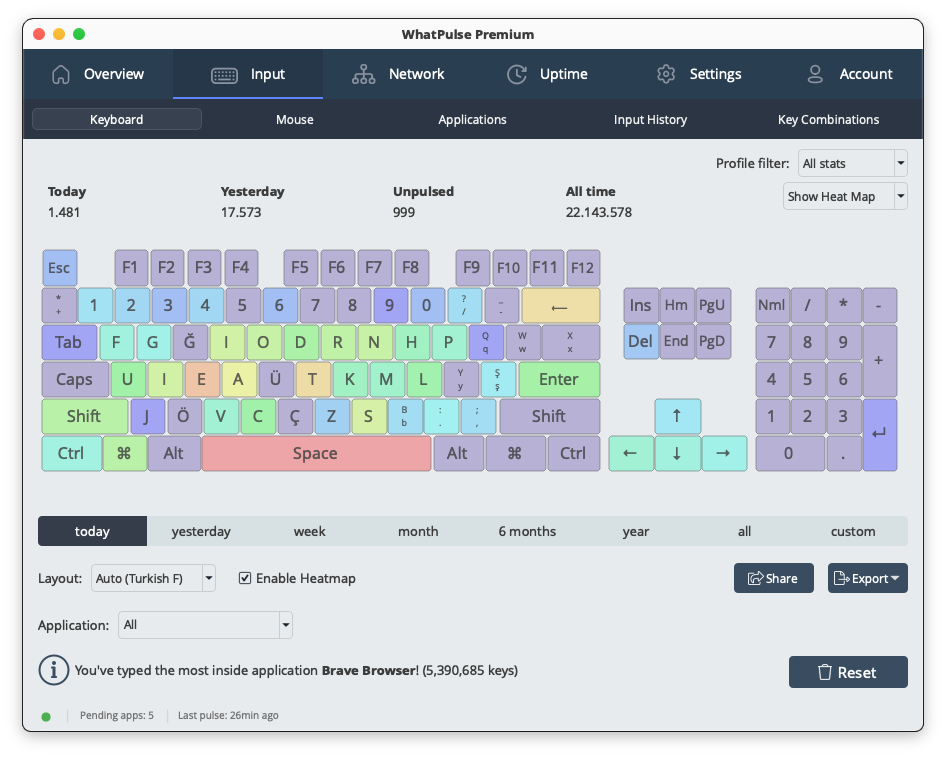 Heatmap automatically adapting to a Turkish layout
Geek Window formulas
The Geek Window just got a lot more flexible.
You can now use formulas inside labels using {= expression }, which lets you calculate and display custom values directly in your overlay.
A few ideas:
- Combine multiple stats into one metric
- Show ratios (clicks vs keys, productivity splits, etc.)
- Create your own "score" for the day
It turns the Geek Window from a display into something you can actively shape. If you're a power user who likes tweaking your setup, this is where things get interesting:
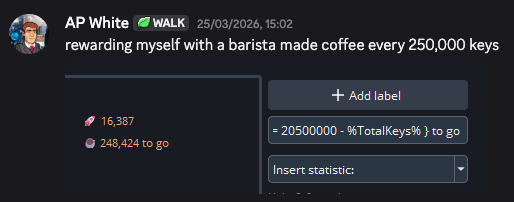
20,500,000 keys is the target
Find more information, syntax details, and examples in the help center.
Faster, quieter updates
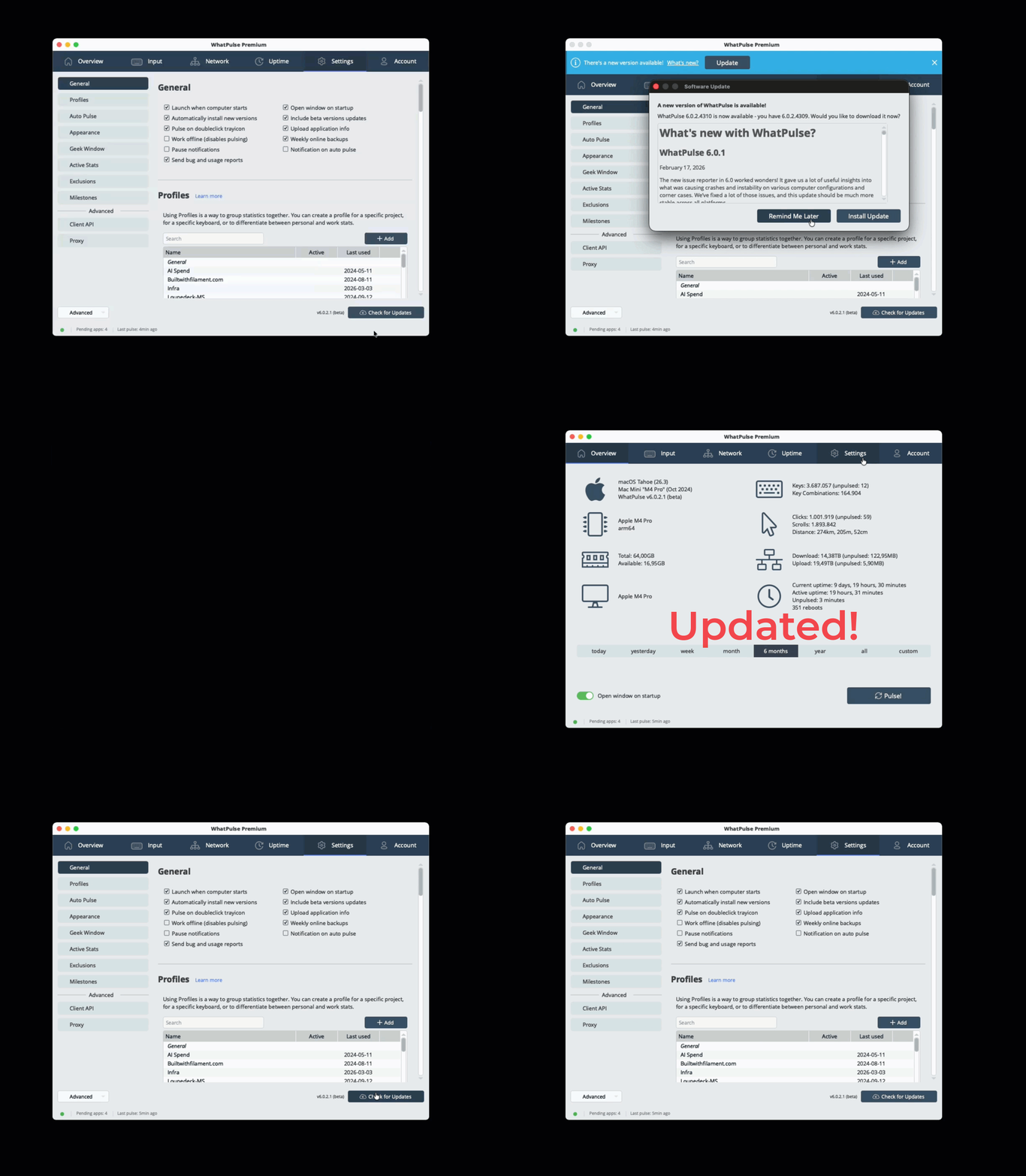
This release introduces a new patch-based update system to make updates faster and less disruptive.
- Smaller downloads
- Faster installs
- Less disruption
On Windows, updates are now one click. On macOS, updates are now zero click.
Redesigned login wizard
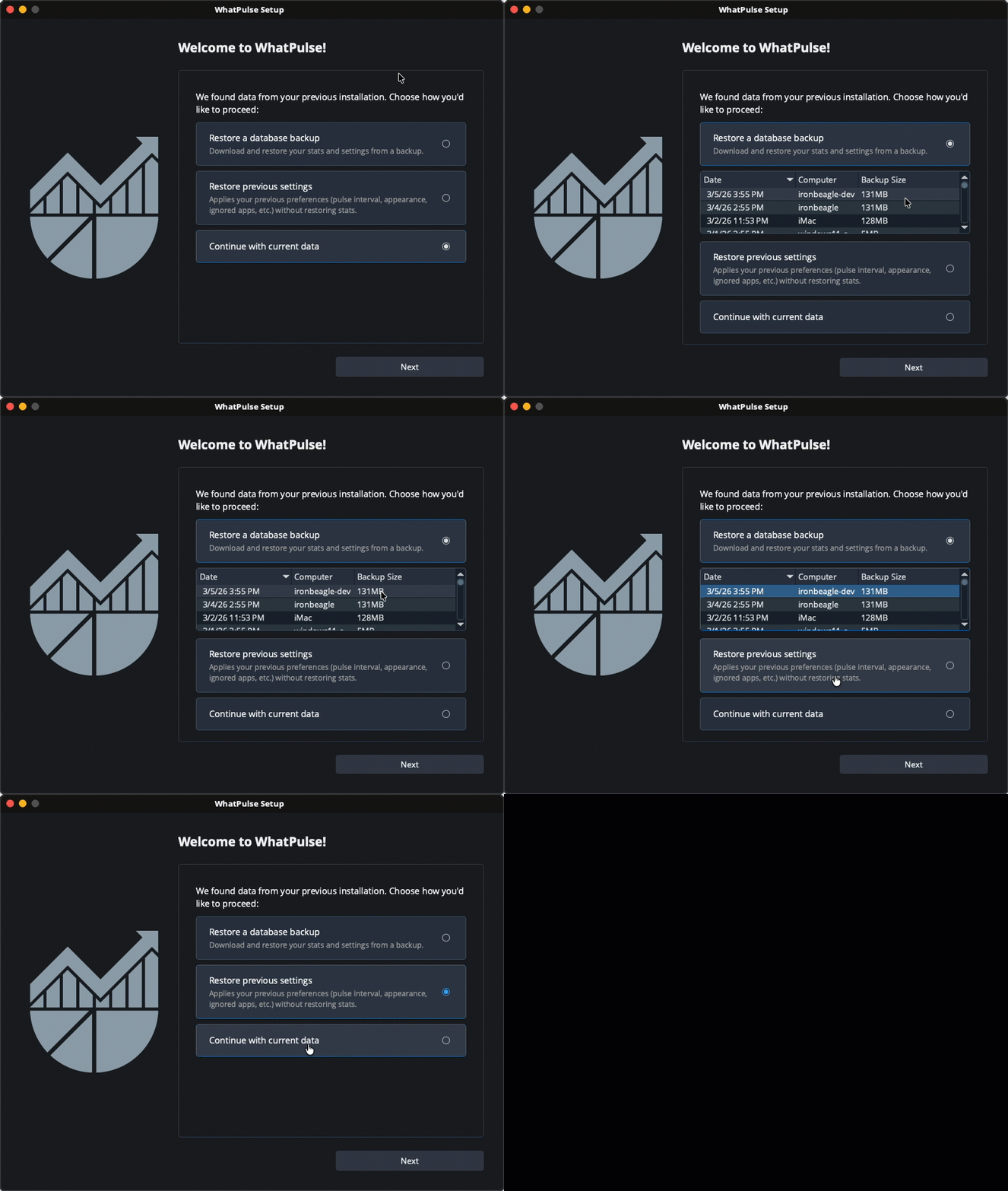
The login and onboarding flow has been redesigned to be clearer and more helpful.
Key improvements:
- Better explanation of account states
- Clearer paths for logging in vs creating an account
- Prominent restore options if backups are available
If you've ever reinstalled WhatPulse or switched machines, this should feel much smoother.
Other improvements & fixes worth noting
A few smaller changes that improve day-to-day usage:
- Mouse heatmap exclusions now respect your app exclusions, so you can hide mouse activity in specific applications
- Smarter sync timing avoids delays when frequently restarting your computer
- Fixed duplicate application entries caused by versioned install paths
- Resolved an issue where the realtime network chart could loop
- Around 30 edge-case fixes to reduce crashes and improve stability
How to update
You can upgrade to WhatPulse 6.1 by using the "Check for Updates" option inside the app, or grab WhatPulse from the Downloads page.
Happy pulsing!
— Martijn & the WhatPulse team