
WhatPulse 6.0 is a major release, with Web Insights bringing website activity into your stats for the first time. Alongside that, this release delivers a more flexible UI, improved exports, and a long list of stability and performance improvements, especially on Windows.
This version lays the groundwork for deeper insights into how you actually use your computer, while making the core app more robust and pleasant to use day to day.
Web Insights: website activity tracking
Web Insights introduces website-level activity tracking through new browser extensions, integrating your browsing activity directly into WhatPulse.
With Web Insights enabled, you can:
- Track time spent and activity on websites, including keys, clicks, scrolling, and mouse movement
- View website activity alongside applications inside the WhatPulse app
- Associate website stats with profiles to separate work, personal, or other contexts
- Export your website activity data for deeper analysis or reporting
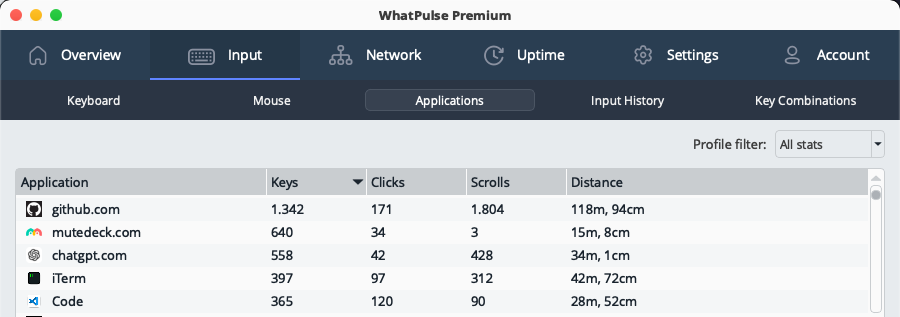 Websites and applications side by side in the WhatPulse app
Web Insights is available as part of WhatPulse Premium. If you're upgrading from an older version, are not a Premium member yet, we've wiped the slate clean for you: you can start a free trial here.
Privacy-first by design:
- Only website domains are tracked, never full URLs or page content
- Browser extensions don't run in private or incognito mode
- Website stats are private and never publicly visible on your profile
- Exclude specific websites or patterns from tracking
Productivity Dashboard integration:
Website activity is also integrated into the Productivity Dashboard, giving you a clear picture of how your time is distributed across different sites and applications.
- See your most visited websites and time spent on them
- Find specific websites and view their activity breakdown
- View categorized website activity alongside applications for a complete picture of your computer usage
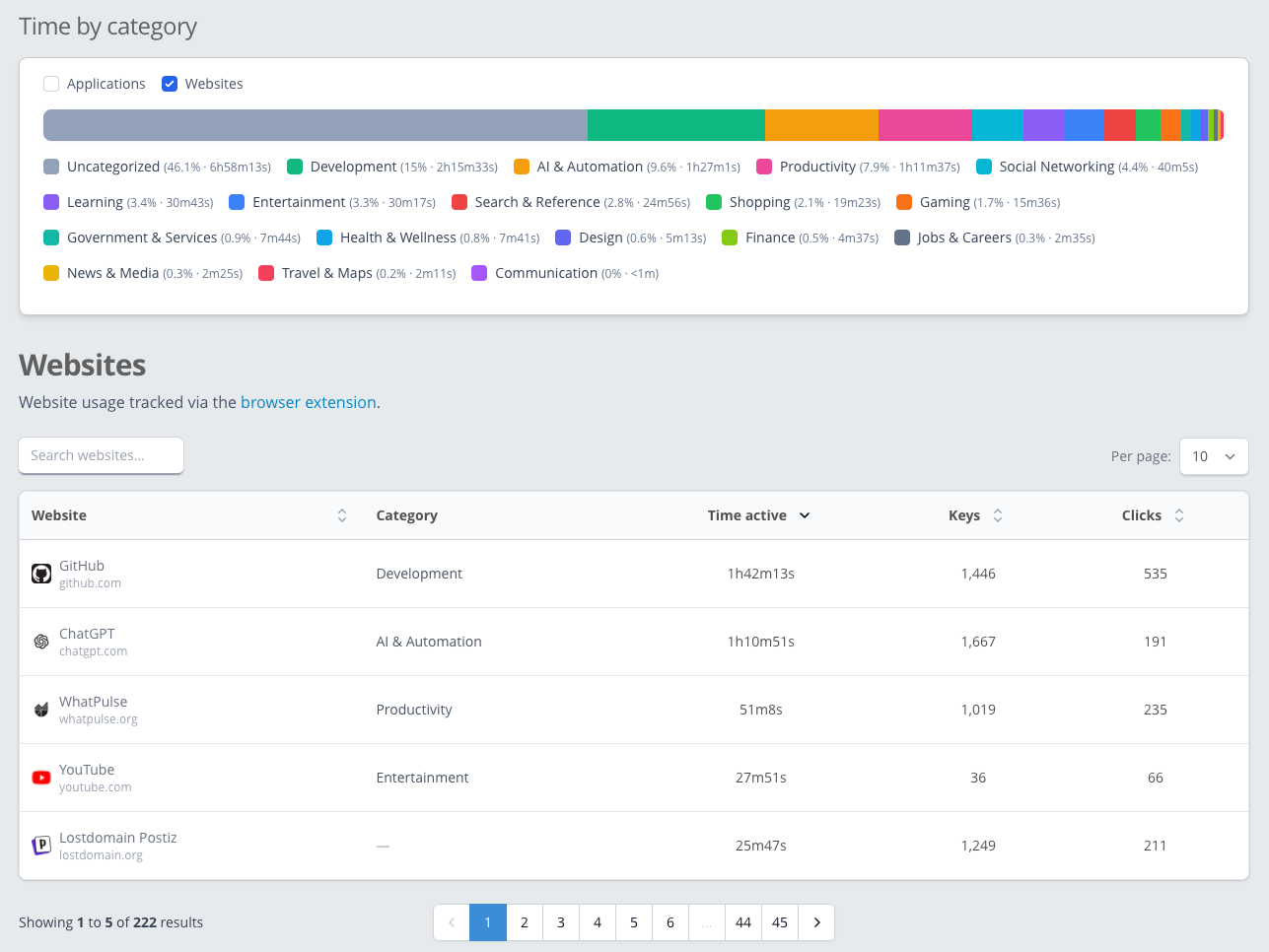 Click to zoom in. Web Insights in the Productivity Dashboard. There are a lot more categories for websites. 😉
Start getting browsing insights today, and download the browser extensions here
UI and usability improvements
WhatPulse 6.0 makes the app more flexible and consistent across platforms:
- The main window is now fully resizable and remembers its size and position
- The setup wizard has been refined, with clearer guidance and links to browser extensions
- Activity charts are easier to navigate, including forward and backward day navigation
- Dialogs, buttons, and confirmations have been polished throughout the app
For anyone that wants to have a massive keyboard heat map
Stability and performance improvements
A significant part of this release focuses on stability, particularly on Windows:
- Better detection of hardware, input devices, and network interfaces on modern Windows 11 versions
- Keyboard and mouse heatmaps now render in the background to avoid UI freezes
- Multiple fixes for startup, shutdown, and input monitoring crashes
- More reliable updater behavior, especially during restarts
- Improved handling of unusual display and multi-monitor configurations
Overall, WhatPulse 6.0 should feel noticeably more stable and responsive, especially for long-running sessions.
Bug fixes and polish
In addition to the major changes, this release includes many smaller fixes and refinements across all platforms, addressing visual glitches, edge-case crashes, and long-standing usability issues.
Thanks to everyone who tested the 6.0 betas and sent in feedback — it directly shaped this release.
How to update
You can upgrade to WhatPulse 6.0 by using the "Check for Updates" option inside the app, or grab WhatPulse 6.0 from the Downloads page.
Already using it? We'd love to hear what you think. Join us on Discord or send feedback straight from your dashboard.
Thanks for being part of the WhatPulse community, and we hope you enjoy the new features and improvements in 6.0!
Martijn & the WhatPulse team