Hide applications
To hide an application from being displayed on the website, click on "My WhatPulse", then go to "Apps & Websites". You will then see a list of applications that have been sent to the website from your computer(s). By default, your application statistics are not publicly viewable. You can change this in your Privacy settings in My WhatPulse.
To hide an application from public view, click on the eye icon on the far right column of the list. The application will then be shown in strikethrough, and the eye icon will be crossed out. Click the eye to unhide the application again.
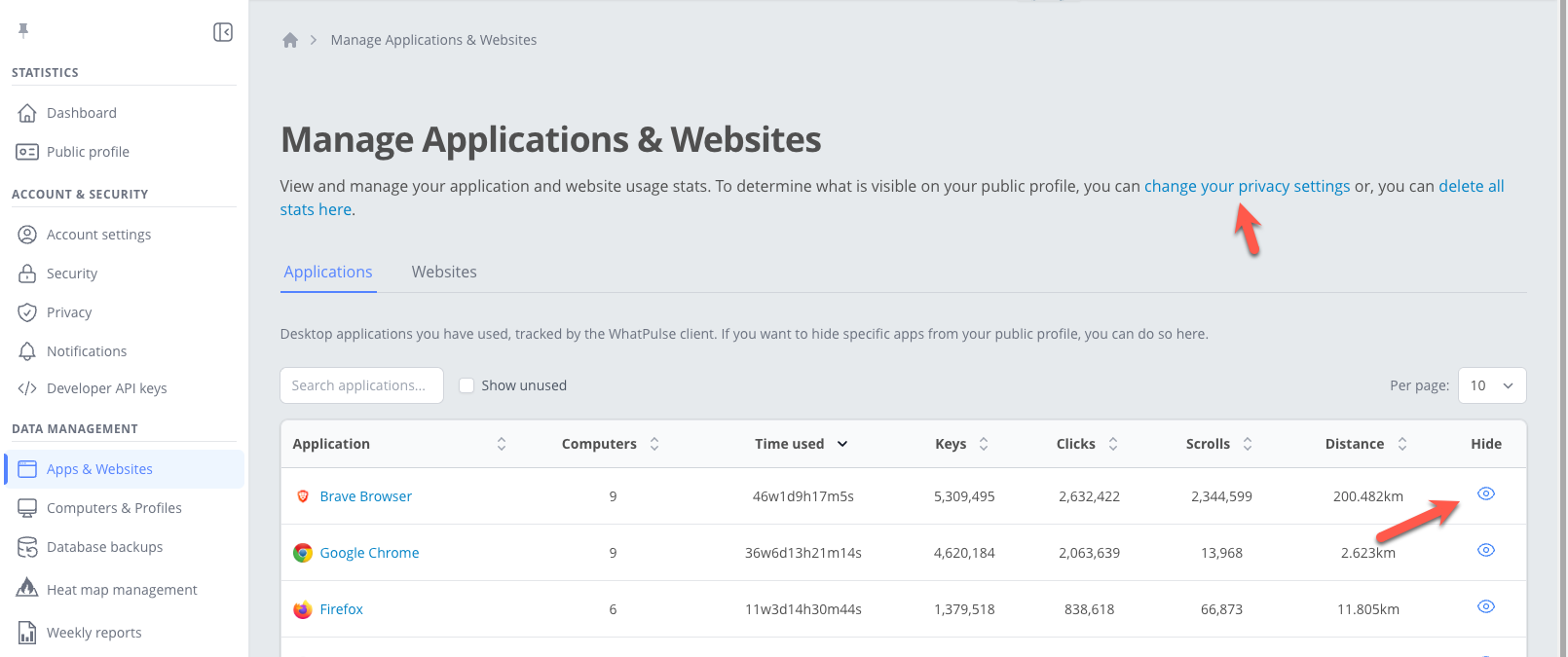
You can also hide all applications in one action by updating your Privacy settings in My WhatPulse.
Deleting all application
If you want to delete all application data from your profile, you can do this by going to your Account page, and clicking the "Delete applications" button at the bottom of the page.